CustomKeys Programmable Calc
Version: 1.0.0
17.00MB
4.1

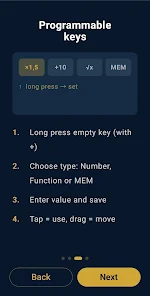

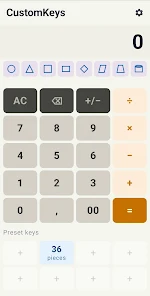
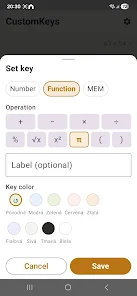
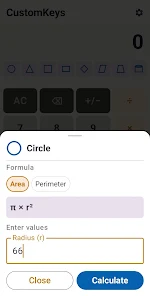
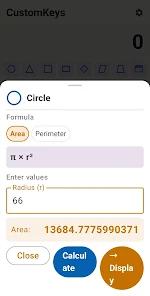

CustomKeys Programmable Calc is a modular, scriptable calculator designed for professionals and enthusiasts who need quick, repeatable computations. The app combines a traditional scientific calculator with programmable keys, macro sequences and a compact editor, making complex workflows faster without sacrificing clarity or precision.
CustomKeys Programmable Calc blends a familiar calculation interface with powerful automation. It targets engineers, data analysts, students and anyone who routinely repeats computations. Instead of retyping long expressions, users assign functions and macro sequences to dedicated keys, letting the app handle boilerplate steps while keeping results visible and editable.
The app supports scientific functions, parentheses, constants, unit-aware arithmetic and basic graph previews. What sets it apart is the programmable layer: assign multi-step routines to on-screen or hardware keys, trigger conditional logic in scripts, and chain calculations for multi-stage problems. A lightweight editor stores snippets and exposes them for reuse.
Start by entering an expression on the numeric keypad or selecting built-in functions. To automate, record a macro or open the script editor to write a short routine. Assign that macro to a key position so that subsequent runs execute the saved steps. Outputs appear in the result pane and can be copied or stored as variables for later use.
CustomKeys Programmable Calc emphasizes adaptable layouts. You can rearrange key positions, change key labels, and enable a compact or expanded mode depending on screen size. Users who prefer tactile input can map functions to a connected keyboard or external buttons where supported.
The interface is designed for clarity: a high-contrast display, large result area, and a history list that lets you revisit past calculations. Animations are minimal to keep responsiveness high even on older devices. Theme options include light, dark and high-contrast modes for different working conditions.
This calculator shines in contexts where repetitive computation is common. Financial analysts can program amortization schedules, lab technicians can automate unit conversions and students can save multi-step solutions for homework practice. Because keys can store conditional logic, you can branch results based on thresholds or error checks.
The app is optimized for efficiency. Script evaluation runs locally with minimal memory overhead, and macros execute instantly once defined. Large batches of calculations are handled in queued mode to prevent interface blocking, and results are cached to speed repeat queries.
CustomKeys Programmable Calc is a practical utility that reduces repetitive work and increases reliability for calculation-heavy tasks. Its programmable key model and approachable scripting tools make it suitable for both casual users and professionals who demand reproducible results. With attention to customization and low-latency performance, it becomes a steady part of a productivity toolkit.
Install the app, explore preset templates and try assigning a macro to one key during your first session. Review the help guide for script syntax examples and community-shared snippets. After a short setup, CustomKeys Programmable Calc quickly becomes a powerful ally for everyday calculations.