ft.onf - Running Tracker
Version: 1.2.1
125.80MB
4.3
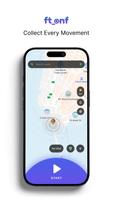
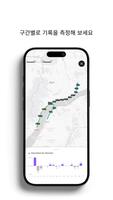

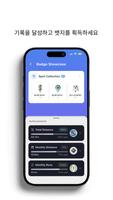
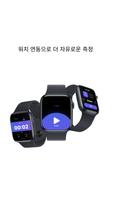
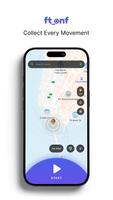
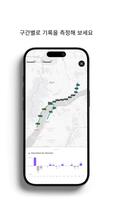

ft.onf - Running Tracker is a compact, modern running app designed to record routes, monitor pace and support structured workouts with clear metrics. It blends GPS tracking, interval training and post-run summaries into a lightweight interface suitable for everyday runners and athletes who want precise, distraction-free tracking.
ft.onf - Running Tracker focuses on delivering accurate run data without unnecessary clutter. The app captures distance, pace, elevation and split times while keeping battery usage low. It provides essential graphs and logs for runners who prefer a simple tool to analyze performance and plan progressive training.
The app keeps live tracking at the center of every session. When you start a run, it locks onto GPS and begins collecting time-stamped data points. Pace smoothing reduces jitter while split calculations give you instant feedback on performance. For interval sessions, set warm-up, work and rest segments and the interface will prompt you with audible cues and on-screen timers.
ft.onf - Running Tracker uses a minimalist layout: one main screen for live metrics, an expandable map view and a summary page after each session. Buttons are large and readable during movement, and critical information remains visible at a glance. The app is engineered to minimize background activity to preserve battery life while keeping location accuracy high.
Customization is practical rather than excessive. Choose metric or imperial units, define preferred screens for pacing or distance, and tailor audio cues. Workout templates can be saved for repeated use, which speeds setup for interval training or tempo runs. Export options let you take data into other analysis tools.
Runners report a quick learning curve because the app avoids overwhelming menus. Starting a session, pausing, splitting laps and ending a run are straightforward actions. The summary screen highlights key indicators—average pace, best kilometer, elevation gain—so you can quickly understand what mattered in each session.
For runners who value clarity, ft.onf - Running Tracker simplifies the essentials. It does not aim to replace feature-heavy training ecosystems, but it fills the need for a dependable, focused tracker that captures quality metrics with minimal fuss.
Many users pick this app because it balances precision and simplicity. The straightforward presentation makes it attractive for beginners and experienced athletes alike. Battery-efficient operation and clean summaries mean the app supports both daily jogs and structured training without slowing phones or requiring constant configuration.
Install the app, grant location access, and create a profile with your preferred units and basic biometrics. Try a short session to test GPS lock and audio cues. Once you’re comfortable, set up interval workouts or export a few runs to compare metrics over weeks. Those steps are usually enough to incorporate ft.onf - Running Tracker into a consistent training routine.
Whether you want a minimal companion for logging runs or a straightforward tool for interval training, this app offers reliable tracking and clear feedback to help maintain progress without complexity.