
BlueNexus
Version: 1.0.1
147.00MB
4.3
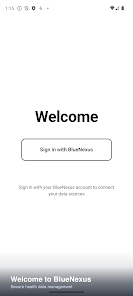
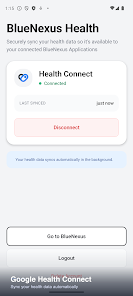
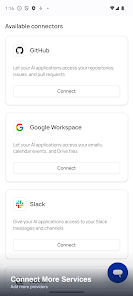
BlueNexus is a mobile networking and productivity app designed to centralize device connections, cloud accounts, and data transfers into a single, easy-to-navigate hub. It streamlines file sharing, secure remote access, and account syncing with a clear interface, helping professionals and power users manage multiple connections efficiently.
BlueNexus combines tools that cover everyday connectivity needs: fast file transfers between devices, unified account management for cloud storage services, remote device access, and real-time status monitoring. Each function is accessible from a single dashboard that prioritizes speed and clarity, so routine tasks take fewer taps.
The design philosophy behind BlueNexus centers on reducing friction. Menus group related tasks, contextual actions appear when relevant, and a persistent notification keeps ongoing transfers visible. The workflow encourages initiating transfers or connections directly from commonly used apps, with quick presets for frequent recipients and destinations.
At its core, BlueNexus negotiates secure links between devices or cloud endpoints. It supports direct peer-to-peer transfers when on the same local network and falls back to encrypted relay channels for remote transfers. Chunked file uploads, resumable transfers, and bandwidth prioritization ensure large jobs finish reliably even on unstable connections.
Security is a priority. BlueNexus uses strong encryption for data in transit and offers optional end-to-end encryption for highly sensitive files. Granular permission controls allow administrators or individual users to limit access by device, time window, or file type. The app also maintains a tamper-evident log of transfer events for audit and troubleshooting.
BlueNexus is optimized for mobile CPUs and takes advantage of hardware acceleration when available to minimize battery impact. It supports a wide range of Android versions and integrates with popular cloud services through standardized APIs. Background transfer engines continue work during short connectivity drops and intelligently retry when conditions improve.
Users can adapt BlueNexus to specific workflows by creating profiles, automated rules, and scheduled sync tasks. Integrations with file managers, email clients, and team collaboration platforms let users push or pull content without switching apps. For IT environments, an enterprise mode enables centralized configuration and group policy application.
Getting started takes a few guided steps: install BlueNexus, grant the required permissions, connect preferred cloud accounts, and set up device pairing. Built-in onboarding walks new users through sample transfers and shows how to create a secure profile. An optional demo mode helps evaluate capabilities before granting production-level access.
For best performance, keep the app updated and enable background processing permissions. Use scheduled syncs to move large files during off-peak hours and configure bandwidth limits on metered networks. When sharing sensitive documents, enable end-to-end encryption and verify fingerprints with recipients for added assurance.
BlueNexus offers built-in diagnostic tools that gather logs and transfer histories to simplify support interactions. Regular updates address compatibility with cloud providers and reinforce security measures. Users in managed environments can leverage remote update and policy distribution features to keep devices aligned with organizational standards.
BlueNexus suits anyone who needs a dependable, secure way to manage multiple connections and transfers from a single mobile hub. Whether organizing backups, collaborating across teams, or providing remote access for troubleshooting, the app aims to make complex connectivity straightforward and reliable.