Music Video Maker - AI Video
Version: V1.0.01
158.00MB
4.2
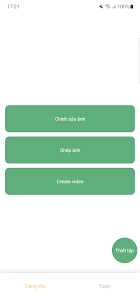
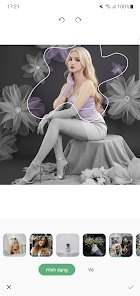
Music Video Maker - AI Video puts powerful video editing and music synchronization into a simple mobile app. It uses AI-assisted tools, ready-made templates, and automatic beat detection to help users create short music videos for social platforms quickly, with export options for HD sharing and optimized aspect ratios.
Music Video Maker - AI Video combines smart automation with hands-on controls so you can turn raw clips and photos into polished videos. The app analyzes audio tracks to align cuts and transitions with beats, applies visual effects, and offers a timeline editor for precise adjustments. It is designed for creators who want fast, high-quality results without a steep learning curve.
The interface prioritizes quick access to common tasks: import, arrange, edit, and export. A guided onboarding walkthrough shows how to import media, choose a template, and apply AI suggestions. The timeline supports drag-and-drop operations while the preview window updates in real time. Contextual tooltips help new users learn features without searching menus.
Although designed for speed, Music Video Maker - AI Video keeps deep customization available. Manual trimming, split tools, and keyframe controls allow precise motion and opacity changes. You can replace template elements, tweak transition durations, lock audio volumes, and layer effects to build a unique visual identity. Advanced users will appreciate color wheels and curve adjustments for fine-tuning.
Export settings cover typical social platform requirements: square, portrait, and landscape aspect ratios, with presets for Instagram Reels, TikTok, YouTube Shorts, and more. Output resolutions include 720p, 1080p, and options for higher bitrate exports when quality is a priority. Direct sharing to social apps and cloud upload make distribution straightforward.
The app is optimized to run smoothly on a range of modern Android devices. Background rendering and hardware acceleration reduce waiting times during previews and exports. File management tools help keep projects organized and conserve storage by letting you choose export quality or purge temporary files after a project is saved.
Begin by selecting a template close to your intended style, then swap media and let the AI line up the cuts. Use the timeline to refine timings and add a voiceover track for narration. Save frequently as projects and export a low-resolution draft to preview on the platform you plan to publish to before finalizing the high-resolution version.
Music Video Maker - AI Video balances automation and control so creators can produce attention-grabbing videos quickly while still exercising creative judgment. Its combination of AI beat matching, flexible export presets, and a straightforward interface makes it a practical choice for social creators, marketers, and hobbyists who need polished videos without complex desktop software.