Hearing Pro
Version: 1.1.7
23.00MB
4.3
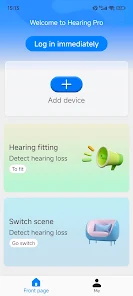
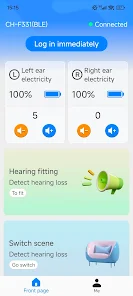
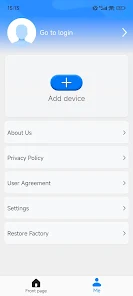
Hearing Pro is a mobile application designed to assess and support hearing health through quick tests, customizable sound profiles, and step-by-step guidance. It combines diagnostic tools with practical adjustments for daily listening, making it useful for users seeking clearer audio, basic screening, or personalized hearing settings.
Hearing Pro offers a compact toolkit for evaluating and improving how you perceive sound on an Android device. It focuses on fast hearing checks, environmental noise meters, and profile-based equalization so you can adapt audio playback to your needs without specialist equipment.
The interface is organized for quick access to tests and settings: large, easy-to-read controls, clearly labeled sections, and visual feedback during assessments. Menus guide users through calibration, test selection, and profile creation. Tooltips and contextual help reduce ambiguity so people unfamiliar with audiology can still navigate confidently.
Tests use calibrated tones and spoken phrases to estimate frequency sensitivity and speech recognition. The app walks you through headphone selection and volume calibration to improve consistency. After a screening, Hearing Pro generates a chart of results and suggests an EQ curve that emphasizes frequencies where response dropped, which you can fine-tune manually.
Hearing Pro is optimized for modern Android devices and performs smoothly on mid-range hardware. Tests depend on the quality of headphones or earphones; wired, calibrated earphones provide the most reliable results. The app minimizes background processing during assessments to ensure stable audio output and accurate measurements.
Local storage is used for test histories and profiles, and data export is user-initiated. The app requests only essential permissions — microphone access for the noise meter and file access for exports — and includes clear prompts explaining each usage to protect privacy.
Begin by selecting a quiet room and using consistent headphones. Run the calibration routine, then complete the basic screening to generate an initial profile. If the app indicates significant deviations, consider booking a professional hearing evaluation. Regularly back up profiles and test results to avoid losing historical data.
Hearing Pro is aimed at users who want quick, actionable hearing insights and customizable listening experiences without immediate clinical testing. It’s suited for people tracking gradual changes, those who want better audio clarity for media, and anyone curious about their auditory environment.