
AutoCare - Smart Car Manager
Version: 1.0.0
24.00MB
4.2
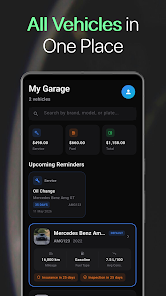
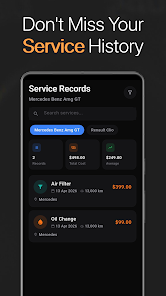
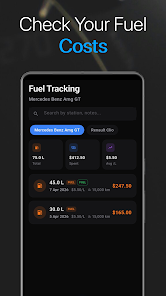
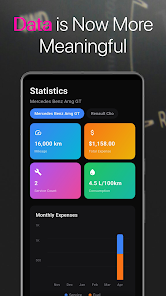
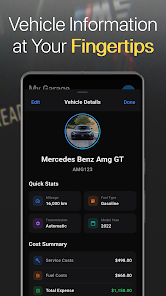
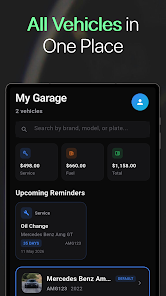
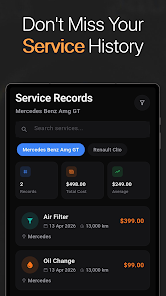
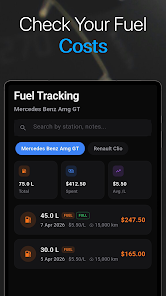
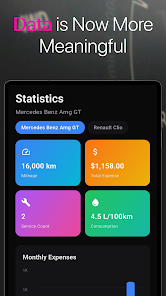
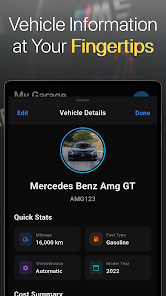
AutoCare - Smart Car Manager centralizes vehicle maintenance, fuel tracking, and service reminders into one intuitive app. Designed for busy drivers and fleet owners, AutoCare helps you plan repairs, monitor expenses, and keep detailed records for every vehicle, reducing surprises and extending vehicle lifespan with timely alerts and clear logs.
AutoCare - Smart Car Manager is a productivity tool for motorists who want a clearer picture of vehicle health and ownership costs. It replaces scattered receipts and sticky notes with a single timeline of services, inspections, and fuel entries. The goal is to reduce downtime and unexpected bills by making maintenance predictable and affordable.
The app organizes common car management tasks into straightforward modules. A service log captures oil changes, tire rotations, and warranty work. Fuel tracking converts fill ups into MPG statistics and expense charts. Reminders use customizable intervals so you never miss a scheduled inspection or part replacement.
Start by adding a vehicle, then log existing records or take photos of receipts. After each fuel stop or repair, enter the new data. The app updates summaries immediately and pushes reminders based on thresholds you set. Over weeks and months the dashboard turns raw entries into patterns you can act on, like identifying a sudden drop in fuel efficiency.
The interface prioritizes clarity. Menus are arranged by functional areas rather than complex settings, so common tasks are two taps away. Visual charts make trends visible at a glance and color coded alerts flag urgent items. For drivers who prefer minimal interaction, AutoCare supports quick add forms that capture essentials in under 10 seconds.
Designed for frequent use, the app caches data locally and syncs to the cloud when a connection is available. That ensures you can access records in garages or remote locations without signal. Background reminders are lightweight and respect battery life while still delivering timely notifications.
AutoCare lets you tailor reminder schedules, currency and unit preferences, and report formats. Integration options include calendar export for service dates and CSV downloads for bookkeeping. For fleet managers, grouping vehicles by driver or location simplifies oversight and makes bulk updates possible.
Begin with a quick setup: add your most recent service and average fuel fill. Use the photo feature to capture receipts so you have evidence for each entry. If you drive multiple cars, create a naming convention for quick selection. Pay attention to the first 90 days of data to establish baseline costs and anticipated maintenance intervals.
Users praise the way the app turns confusing maintenance schedules into actionable steps. Visual histories help when selling a used vehicle, since buyers want proof of upkeep. For small business owners, consolidated expense reports reduce accounting time and make mileage reimbursement straightforward.
Download, create an account, and add your first vehicle. Spend ten minutes entering current mileage and recent service dates. Set a reminder for your next scheduled item and try a weekly review of the dashboard. With consistent entries, AutoCare - Smart Car Manager will quickly grow from a helpful tool into an essential part of vehicle ownership.