Nutrition Manager
Version: 1.0.10
25.00MB
4.1
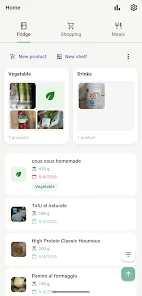
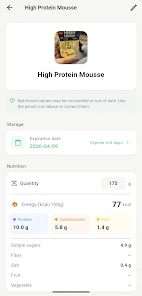
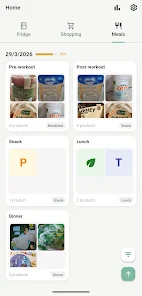
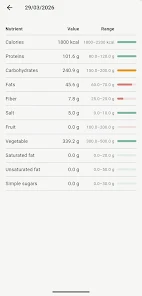
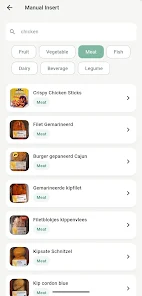
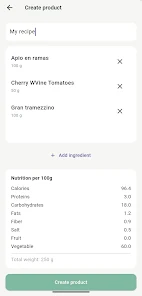
Nutrition Manager helps you track meals, analyze nutrients and set personalized goals with a clean, mobile-first interface. Nutrition Manager offers an intuitive food diary, barcode scanning, and smart recommendations, making it easy to plan balanced meals, monitor macros and maintain long-term healthy habits on Android devices.
Nutrition Manager is designed for people who want a practical, evidence-based way to organize their eating habits. The app focuses on daily tracking, nutrient breakdowns, and tailored guidance rather than fad diets or complicated charts. It translates food entries into clear, actionable metrics so you can adjust portions, plan shopping lists and monitor progress.
The feature set balances simplicity with depth, offering a reliable toolkit for everyday use:
The interface emphasizes clarity: large, readable numbers, color-coded progress bars and a logical navigation flow. Entry screens minimize taps — search suggestions populate as you type and portion controls include common household measurements. The timeline view makes it easy to scan morning, midday and evening intake while the dashboard highlights deviations from daily goals.
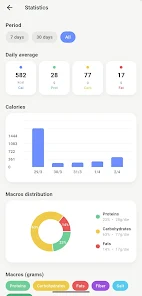
Behind simple screens, Nutrition Manager provides meaningful analytics. Use weekly and monthly summaries to spot trends, see where most calories come from and identify nutrient shortfalls. The app offers visual charts and comparative views so you can assess changes over time and correlate eating patterns with energy or mood notes.
For people who cook, Nutrition Manager allows recipe creation from multiple ingredients with automatic nutritional calculations per serving. Save and categorize recipes, scale portions, and export shopping lists based on your planned meals. These tools reduce the friction of maintaining a consistent nutrition plan when you prepare food at home.
Nutrition Manager is built to work alongside common Android health platforms and fitness trackers. Syncing options let you import activity data to adjust calorie recommendations automatically. Data storage follows standard security practices: you can keep local backups or enable cloud sync depending on your preference, and privacy settings let you control what information is shared with third-party services.
The app is optimized for smooth performance on a range of Android devices. Lightweight caching keeps nutrient lookups fast while background syncs are scheduled to minimize battery use. Offline mode enables logging without an active connection and then reconciles changes once you’re back online, ensuring reliable tracking during travel or low-signal periods.
Start by logging one week of baseline eating to establish realistic goals. Use the barcode scanner for packaged foods to improve accuracy, and create a few favorite meals to cut down on daily entry time. Schedule weekly reviews of your nutrition summary to adjust goals, and try the meal planner to reduce decision fatigue on busy days.
Download, grant basic permissions for storage and camera (for barcode scanning), then complete the onboarding questionnaire to set calorie and macronutrient targets. Spend a short session customizing favorite foods and meal templates, then commit to logging consistently for at least two weeks to see meaningful trends. Nutrition Manager will adapt recommendations as your goals and activity levels change.
With a focus on usability and practical insights, Nutrition Manager provides the tools to build healthier routines, whether you want to refine macros, increase a specific nutrient, or simply become more mindful about daily food choices.