
Watch Party
Version: 1.3.1
55.00MB
4

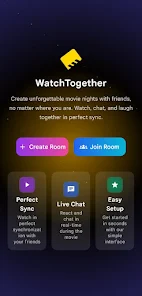
Watch Party is a streamlined Android app designed to bring friends together for synchronized video sessions, chat, and shared playlists. It simplifies remote viewing with low-latency sync, cross-device compatibility, and built-in controls for hosts. Perfect for movie nights, study sessions, and group streaming without complicated setup.
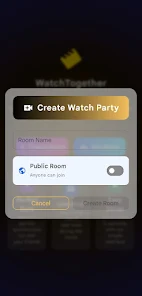
Watch Party focuses on enabling real-time shared viewing experiences. It connects multiple devices into a single synchronized playback session so everyone watches the same frame at the same time. The app supports public and private rooms, host moderation, and integrated voice or text chat to keep conversations flowing while the video plays.
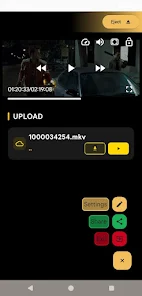
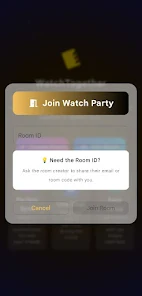
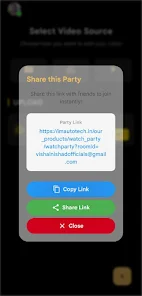
After installing Watch Party, you can start a session as a host or join one. Hosts upload or link content, invite participants, and manage playback controls. Participants join via a link or code and their players sync automatically. The app monitors network status and uses adaptive buffering to minimize stalling and resync quickly if someone briefly disconnects.
The interface prioritizes clarity: a central video player, a compact chat panel, and an unobtrusive control bar. Icons and labels are straightforward, helping new users find room settings, invite links, and playback controls quickly. The design favors one-handed use on phones and scales neatly to tablets.
Watch Party gives hosts a set of tools to tailor sessions. You can set restrictions for who can control playback, enable or disable chat, and apply a pre-made playlist template. For private gatherings, the app offers password protection and session expiration to prevent lingering open rooms.
Playback smoothness depends on participants’ network quality. Watch Party uses adaptive bitrate streaming and local buffering to balance quality with stability. On high-speed connections, video quality ramps up quickly; on mobile data or congested Wi‑Fi, the app intelligently reduces bitrate to preserve synchronization and reduce pauses.
Users appreciate the simplicity of starting a shared viewing session and the reliability of the synchronization engine. The app balances social features with straightforward controls, making it suitable for casual movie nights, study groups, and even professional remote screenings. Lightweight design keeps battery and data usage reasonable compared with more heavyweight streaming tools.
Installing Watch Party is quick: download the APK, grant necessary playback and storage permissions, and create an account or sign in with a social login. Hosts should test a quick session with one friend before inviting larger groups to ensure device compatibility and network performance.
Whether you plan a weekly watch night or occasional group screenings, Watch Party provides a practical set of tools to turn solitary viewing into a shared event without complicated configuration. Its focused feature set, polished interface, and attention to synchronization make it a solid choice for users who want reliable group streaming from Android devices.