
Speed Test Pro: WiFi & Ping
Version: 1.2
8.00MB
4
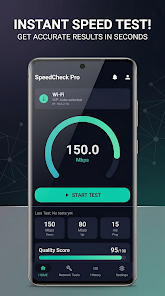
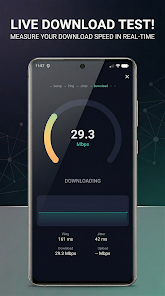
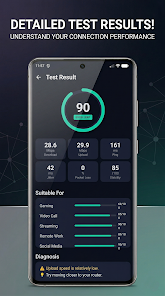
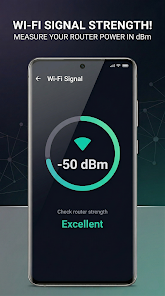
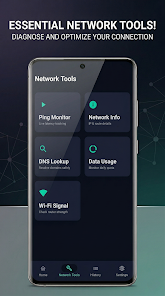
Speed Test Pro: WiFi & Ping is a compact network utility that quickly measures download and upload speeds, latency, and connection stability. Designed for everyday users and technicians, it provides clear results, visual trends, and tools to diagnose WiFi performance issues on phones and tablets in under a minute.
Speed Test Pro: WiFi & Ping focuses on delivering accurate, fast measurements without clutter. The app identifies nearby test servers, runs multi-threaded throughput checks, and reports round-trip time and jitter. It targets people who need reliable metrics to compare providers, optimize home routers, or troubleshoot lag in real time.
Understanding each metric helps interpret results and decide next steps. The app reports:
The app provides features beyond a simple one-off test. Use the built-in server picker to target local or global endpoints, enable continuous testing for long-term observation, and export results for sharing with support teams. Background testing can be scheduled to run at intervals, which is handy for detecting intermittent outages.
Speed Test Pro: WiFi & Ping emphasizes clarity. Large readouts, color-coded graphs, and a concise results history make performance easy to track. Controls are arranged so the primary test button is prominent while advanced options remain accessible without overwhelming casual users.
The app initiates a handshake with the selected server, performs latency checks using small packets, then runs parallel threads to saturate the available bandwidth for accurate throughput measurement. Multiple test phases reduce variance: an initial ramp-up, a steady-state sampling window, and a cooldown. This approach yields repeatable numbers even on networks with bursty traffic.
Raw numbers tell part of the story. High download speed with high jitter suggests local interference or overloaded WiFi channels. Consistently high latency to nearby servers points to router or ISP routing issues. Use the app’s trend graphs to correlate performance dips with time of day, device use, or nearby network changes.
The app also includes a diagnostics panel that suggests simple fixes, such as channel changes, rebooting the gateway, or testing with Ethernet where possible. These suggestions help users take corrective action without needing deep networking knowledge.
Speed Test Pro: WiFi & Ping requests only the permissions necessary to run network tests and store results. It keeps historical data local and supports exporting logs for troubleshooting. Tests are designed to be lightweight on battery and data; continuous monitoring is optional and configurable to avoid unexpected consumption.
Installation is straightforward. After granting network permissions, tap the main test button and review the result screen. Use the server selector for targeted checks and enable scheduled testing from the settings menu if you need ongoing monitoring. Data exports are available in common formats for sharing with technical support or ISP reps.
For anyone who needs quick diagnostics, long-term trends, or detailed latency analysis, Speed Test Pro: WiFi & Ping offers a balanced mix of accessibility and depth. The app is useful for homeowners, remote workers, and network technicians who want clear, actionable performance data without unnecessary complexity.