Password Manager Guide
Version: 1.0.6
21.00MB
4


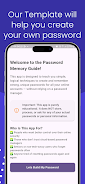
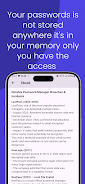
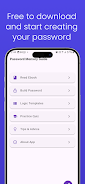


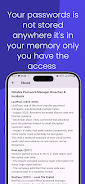
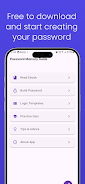
Password Manager Guide is a concise companion for learning how password managers store credentials securely, generate strong passwords, and synchronize across devices. It offers step-by-step setup instructions, best-practice tips for organization, and clear explanations of encryption and autofill so you can adopt safer habits quickly.
The Password Manager Guide breaks down complex security concepts into practical actions. Readers discover how master passwords, vaults, and secret key backups work, and learn to evaluate password strength, recognize phishing attempts, and set up multi-factor authentication. The material is aimed at everyday users who want a reliable plan for digital safety.
This guide highlights the tools and functionality common to modern password managers and explains how to use them effectively. Topics include:
Adopting guidance from Password Manager Guide can save time and reduce frustration. Instead of reusing or jotting down passwords, follow the guide’s recommended workflows to: automate logins, generate unique passwords on the fly, and store secure notes such as software licenses or recovery codes. The step-by-step checklists make migration and routine maintenance straightforward.
Getting started is presented in clear stages. The guide walks you through selecting a manager that fits your needs, installing browser extensions and mobile apps, creating a strong master password, and importing existing credentials. Performance tips cover how to test autofill safely and verify synchronization is working between devices before decommissioning old storage methods.
Security topics are explained without technical overload. You learn the difference between local-only and cloud-synced vaults, how zero-knowledge encryption protects your data, and why regular backups are critical. The guide also outlines common attack vectors, such as weak recovery questions or reused passwords, and provides countermeasures that are realistic and user-friendly.
Effective credential management is personal. The guide gives examples for organizing entries by category, establishing naming conventions for accounts, and using tags or folders to locate credentials quickly. It also explains how to store non-password items like software licenses and Wi-Fi credentials securely, so all important information is available immediately when needed.
Compatibility is a frequent concern; the guide offers a framework for checking platform support, extension compatibility with popular browsers, and mobile performance. It outlines how to verify that a manager does not interfere with other apps, and how to troubleshoot common sync issues. Recommendations include minimal CPU and memory footprints to maintain responsiveness on older devices.
For group use, Password Manager Guide covers best practices for shared vaults, role-based access, and auditing shared credentials. Practical protocols for onboarding teammates or family members reduce risk, while tips for periodic review help ensure access remains current and secure. The guide emphasizes clear communication and least-privilege sharing.
Security is ongoing; the guide recommends a simple maintenance routine: scheduled password audits, updating high-risk accounts, rotating credentials after security incidents, and verifying backup integrity. Following these steps keeps your digital life resilient against evolving threats without creating extra daily work.
Whether you are moving from sticky notes to a digital vault or optimizing an established workflow, Password Manager Guide serves as a practical reference. It focuses on real-world actions, helping users make confident choices about tools, settings, and habits that improve convenience and security together.