OrderRight Kitchen
Version: 0.0.1
28.00MB
4.2
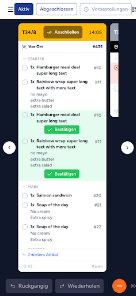
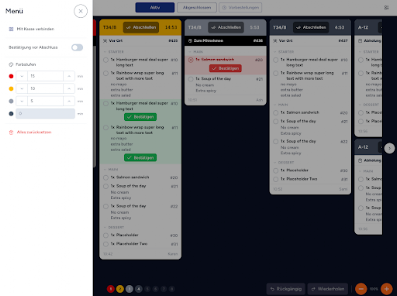
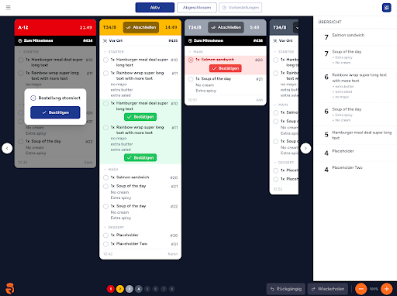
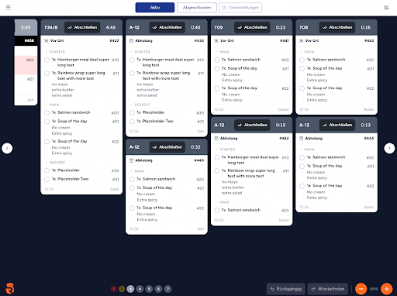
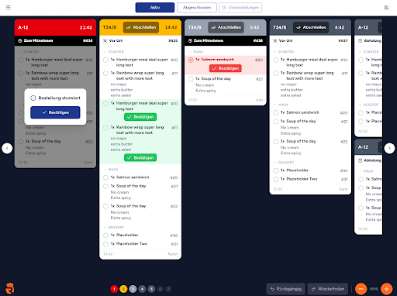
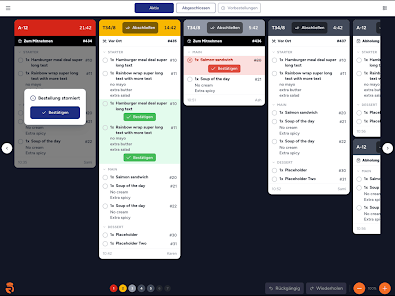
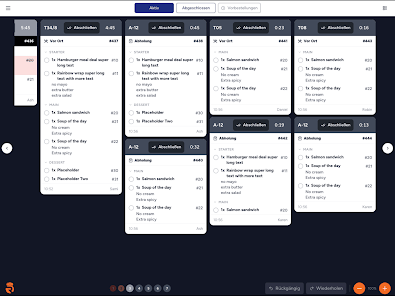
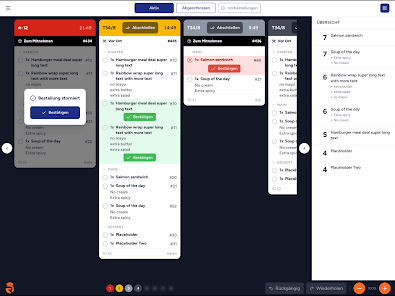
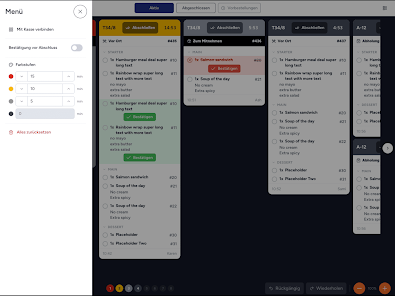
OrderRight Kitchen turns an iPad or Android tablet into a streamlined kitchen display system that brings orders from the POS, webshop and self-service kiosks together on a single, organized screen. OrderRight Kitchen is designed for restaurants, cafés and delivery kitchens that need real-time order visibility: new orders appear instantly via a persistent WebSocket connection and the interface highlights what to prepare next so kitchen staff can focus on execution rather than tracking slips. This introduction explains how the app works, what controls and customization options it offers, and practical considerations for daily operations.
The app shows live order flow with immediate updates for new items, cancellations and modifications, which reduces manual handoffs at busy times. Multiple station support means you can route items to separate displays for grill, drinks, appetizers and desserts so each team sees only relevant tickets; station routing is configurable during setup. Tap-to-complete is the primary control for marking items finished, and the app records that state immediately so the visible queue stays accurate. Automatic reconnection attempts help the display recover quickly after short network interruptions, while a short local cache of active tickets supports momentary outages until connectivity is restored.
The interface focuses on simple, repeatable gestures that match kitchen workflows: tap to complete an item or ticket, long-press to view order details or modifiers, and swipe to reprioritize within a station queue. Labels and touch targets are sized for tablet use in fast-paced environments and the app supports both portrait and landscape orientations so you can mount devices in the best position for each station. Visual confirmation is immediate when staff interact with the screen, reducing ambiguity about whether an action succeeded during service rushes.
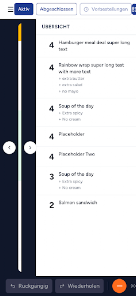
Rather than levels, OrderRight Kitchen models progression as the lifecycle of an order: incoming, assigned, in preparation and completed. Tickets move through these stages visually and can be filtered by age, urgency or station to help teams prioritize. The system is built to keep flow moving during peak periods: concise ticket layouts, quick-mark controls and separate queues for high-volume stations prevent single displays from becoming bottlenecks. Because the app communicates changes in real time, kitchen teams can react instantly to modifications or cancellations from the front of house or online orders.
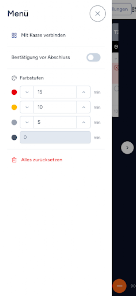
The visual design emphasizes clarity over decoration: high-contrast text, color coding for stations or order states, and compact ticket rows allow dozens of items to be visible without clutter. Font size, column visibility and the amount of detail shown per ticket are adjustable so teams can optimize for readability at a distance or for close-up tablet use. Icons for modifiers and simple status chips help cooks identify special requests quickly without having to open every order detail.
Setup is quick: devices join an account using a QR code or pairing code to link to the broader OrderRight Gastronomy Platform. From the account dashboard you can create station definitions, route item types to displays, and set device names so multiple tablets remain distinct on busy lines. The app supports per-station sorting rules and simple visibility filters so managers can customize what each screen prioritizes during service. Because the app requires an active OrderRight account to receive orders, the account connection also centralizes integrations with POS, webshop and kiosk systems.
OrderRight Kitchen is optimized for tablet screens and requires a compatible iPad or Android tablet for each display location; touch targets and color choices are selected with accessibility in mind to support quick recognition and interaction. The app depends on network connectivity for live updates; it performs automatic reconnection attempts and maintains a short-lived local cache of the current session so brief interruptions do not immediately drop visible orders, but sustained offline operation will prevent new orders from arriving until connectivity is restored.
There are trade-offs to consider: the app needs an active account and a stable network for real-time order flow, and each display requires a compatible tablet and power source. If you run multiple service areas, plan device placement and station routing to avoid duplicated information or missed tickets. Regularly testing reconnection behavior and verifying pairing codes during staff changes will keep the system reliable during service peaks.
Overall, OrderRight Kitchen delivers a focused, practical kitchen display solution that emphasizes immediate order visibility, simple controls and per-station customization to improve throughput and reduce errors. The app’s design supports busy operations by presenting clear priorities and minimizing the steps required for staff to mark and manage orders throughout a shift.