
The Lens Channel
Version: 2.117296.0
217.00MB
4.1
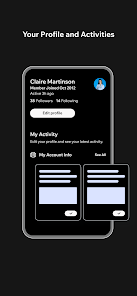
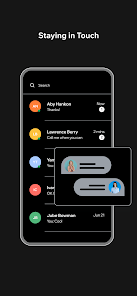
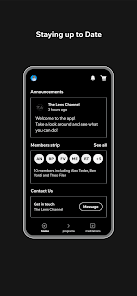
The Lens Channel is a mobile photography suite that centralizes camera controls, advanced editing tools, and a curated feed of lens profiles. Designed for enthusiasts and pros, it blends manual capture, RAW workflow, and a discoverable channel for presets and tutorials, making complex photo tasks faster and more approachable on Android devices.
The Lens Channel organizes creative workflows around lens behavior and image pipelines instead of scattering tools across multiple apps. It acts as a unified hub where you can capture, edit, compare lens characteristics, and share results. The app aims to reduce friction between shooting and post-processing with focused toolsets and quick access to presets.
The Lens Channel is organized around three primary modes: Capture, Edit, and Channel. Capture gives you precision controls and metadata overlays. Edit opens a modular workspace with selective masks, curves, and color grading. Channel lets you browse community presets, lens comparisons, and short technique videos. Switching between modes is instantaneous, keeping your creative momentum.
Built-in tools include a histogram, RGB parade, highlight warnings, and lens correction sliders. The masking engine supports brush and gradient workflows with edge-aware selection for complex subjects. Color tools range from basic temperature/tint to targeted HSL and film-emulation layers. For batch work, multi-select editing applies changes across an album while preserving per-image masks.
Performance is tuned for mid-range and flagship devices. The interface uses contextual panels that appear when you need them, minimizing clutter. GPU-accelerated previews keep edits responsive even when processing RAW files. Menus are icon-driven with optional text labels, and the app supports both light and dark themes for extended editing sessions.
Users pick The Lens Channel for its focus on lens-aware editing and a streamlined capture-to-export pipeline. Photographers who value replicable looks appreciate the channel of presets and the ability to save and share lens configurations. The app supports both casual shooters and professionals who need quick edits on the go.
The Lens Channel integrates with cloud storage providers for automatic backups and supports sharing to social platforms without re-encoding. It reads EXIF metadata and preserves GPS and lens information across edits. For power users, there are options to import and export LUTs and preset packs compatible with desktop editors.
Installation is straightforward via the app store. After launching, the onboarding tour highlights capture controls and the channel browser. New users can import a test photo to explore masks and presets, while seasoned users can jump directly into manual mode and RAW capture.
Expect a short learning curve if you’re new to manual controls, but the in-app tutorials shorten that path. Battery and storage management matter when working with RAW files and long recording sessions, so make sure to allocate space or enable cloud offload. Regular updates refine profiles and add community content to keep the channel fresh.
The Lens Channel offers a compact yet powerful environment centered on how lenses influence final images. Whether you’re refining a signature look or fixing optical quirks, the app provides tools and a community feed that help you get consistent, high-quality results from capture to share.