
Photo Resizer & Compressor
Version: 1.0.2
47.00MB
4
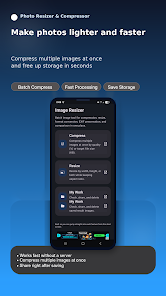
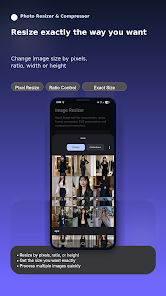
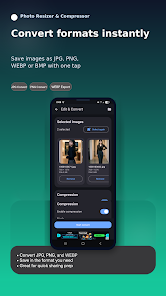
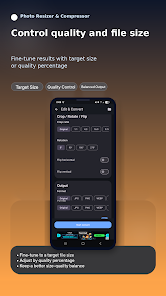
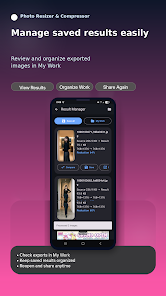
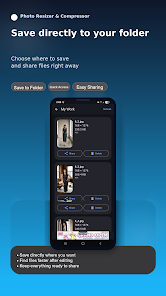
Photo Resizer & Compressor is a lightweight Android utility that simplifies batch image resizing and file compression for faster sharing and storage. It offers precise pixel controls, predefined presets, and lossless or high-quality compression modes, so users can reduce file size without sacrificing visible detail or workflow speed.
Designed for people who handle photos on a phone or tablet, Photo Resizer & Compressor focuses on speed and usability. It targets casual users and professionals who need to prepare images for email, social media, or cloud backups. The app supports common formats, manages multiple files at once, and strikes a balance between image quality and transfer efficiency.
Open Photo Resizer & Compressor, select a folder or individual photos, then pick a target size or compression profile. The interface presents a preview so you can compare the original and processed image before applying changes. For repeated tasks, save a preset and run it on new images automatically, freeing time for other work.
The user interface is pragmatic: clear buttons, an intuitive pipeline, and a responsive preview pane. Processing speed depends on image resolution and device capability, but the app optimizes CPU and memory usage to avoid slowdowns on mid-range phones. Progress indicators and estimated output sizes keep operations transparent.
For social media managers, resizing to standard platform dimensions speeds uploads and keeps feeds consistent. Photographers can compress client galleries for fast sharing without reworking original files. Travelers and field workers benefit from smaller backups and reduced mobile data usage when sending images from remote locations.
Advanced users will appreciate granular controls: set exact pixel dimensions, tweak JPEG quality percentages, and select chroma subsampling levels. The app also includes a rename-and-export step to append suffixes or add sequential numbering, making asset management easier when moving files between devices or storage services.
Photo Resizer & Compressor places emphasis on reliability. It validates image inputs, warns about potential quality degradation when extreme compression settings are chosen, and prevents accidental overwrites with clear file name previews. Regular background processing and a retry mechanism for interrupted batches improve robustness during extended sessions.
Install the app, grant storage permissions, and choose a default save location. Import a few photos and experiment with one of the built-in presets. If you handle many images, enable background batch processing and allow the app to run while your device is charging to complete large jobs without interruption.
Users return to Photo Resizer & Compressor because it reduces tedious tasks to a few taps. Its combination of presets, batch tools, and clear feedback minimizes the trial-and-error common with image preparation. Whether you need quick downsizing for messaging or controlled compression for web galleries, the app streamlines the process while preserving what matters most: visible quality and file manageability.