OnlyFood
Version: 1.0.0
25.96MB
4.3
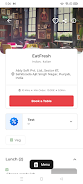
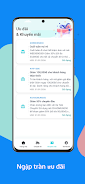
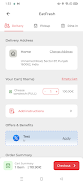
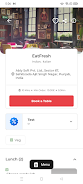
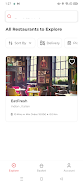
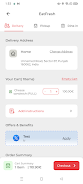
OnlyFood is a smart meal planner and recipe organizer for Android that simplifies cooking, grocery shopping, and nutritional tracking. It combines a searchable recipe library, customizable meal plans, and automatic shopping lists so you can save time, reduce waste, and keep meals balanced throughout the week.
OnlyFood centralizes everyday food tasks into a single app. A curated recipe database includes step-by-step instructions, ingredient scaling, and estimated prep times. Meal planning tools let you arrange breakfast, lunch, dinner, and snacks across days or weeks. Built-in grocery list generation turns selected meals into categorized shopping items, and pantry management helps track what you already own to avoid duplicate purchases.
Start by browsing recipes or importing favorites from other sources. Tag dishes by cuisine, difficulty, or dietary preference and drag them into the calendar to build a plan. When you're ready, OnlyFood compiles a consolidated shopping list that groups items by aisle and offers quantity suggestions based on portions. The app can adapt plans when you skip a day, automatically updating grocery needs and nutritional summaries.
Dietary filters let you tailor meal suggestions to vegetarian, vegan, gluten-free, low-carb, or allergy-aware diets. Nutrition breakdowns display calories, macronutrients, and key micronutrients per meal and for daily totals. You can tweak serving sizes, swap ingredients, and save personalized versions of recipes. OnlyFood also supports custom tags so you can quickly find family favorites, quick-prep meals, or recipes suited for entertaining.
The interface prioritizes clarity: large recipe photos, concise ingredient lists, and step-by-step cooking timers appear on a single screen. Navigation is gesture-friendly with a bottom bar for home, planner, shopping, and pantry sections. Search offers predictive suggestions and filters to narrow results by cook time, cost, and ingredient availability. Dark mode reduces eye strain for nighttime browsing.
OnlyFood connects with calendar apps to remind you when a meal needs preparation, and it can export shopping lists to popular task apps or messaging platforms for easy sharing. Integration with smart scales and nutrition trackers is available for those who want automated calorie logging. Offline access ensures stored recipes and pantry items remain available without a data connection, making the app useful in the kitchen even when signal is weak.
The app is optimized for modern Android devices and aims for small memory footprint and fast load times, even with large recipe collections. Regular updates improve search speed, reduce battery use during background syncing, and add support for the latest Android UI guidelines. OnlyFood is designed to run smoothly on phones and tablets, with layout adjustments that take advantage of larger screens for split-view planning.
User data is stored locally by default with an optional encrypted cloud sync for cross-device access. Shopping lists and meal plans can be exported as CSV or PDF for offline backup. OnlyFood requests minimal permissions and provides clear controls for disabling analytics or third-party integrations, giving users control over what is shared and stored.
OnlyFood focuses on simplifying meal preparation and grocery management through thoughtful features, clear navigation, and practical integrations. Whether you want to cut food waste, track nutrition, or streamline weekly shopping, the app offers tools to make food planning less time-consuming and more enjoyable.