
Livestream TV - M3U Stream Player IPTV
Version: 3.3.1.7c
8.20MB
4.4
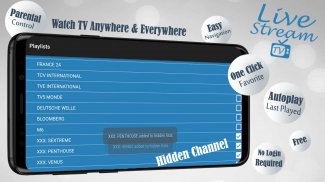
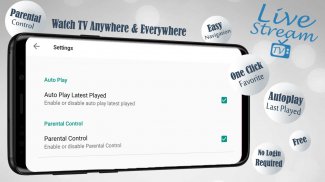
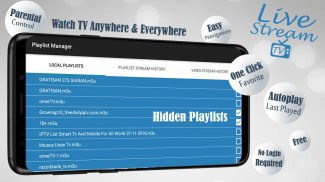
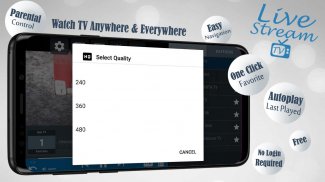
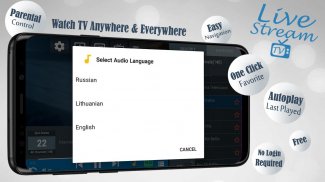
Livestream TV - M3U Stream Player IPTV is a lightweight Android app designed to play IPTV streams using M3U playlists. It provides a practical way to organize live channels, VOD, and radio links with a simple player, adaptable interface, and support for multiple stream formats for smooth viewing on phones and tablets.
Livestream TV - M3U Stream Player IPTV brings together a compact set of features focused on reliable playback and playlist management. Core capabilities include support for M3U and M3U8 playlists, adaptive stream handling, EPG (Electronic Program Guide) compatibility, and basic recording options. The app also offers subtitle support, custom channel naming, and the ability to import and export playlists for easy backup.
The interface is intentionally minimalist. A central channel list presents entries with thumbnails or text-only rows, while a persistent player control provides play, pause, seek, and audio track selection. Menu layers let you switch between live TV, VOD, and radio sections, and a search function helps locate channels quickly. The settings area groups network, player, and visual options so configuration is straightforward.
Streams are consumed from M3U playlists you load into the app. Once a playlist URL or local file is added, Livestream TV parses channel entries and organizes them into categories. The app supports direct links to HLS (m3u8), RTMP, and other common transport streams and can transcode or adapt playback quality depending on network conditions. EPG files (XMLTV format) can be linked to match program schedules to channels.
Customization focuses on playlists and playback behavior. You can rename channels, rearrange lists, create favorites folders, and hide unwanted items. Playlist import accepts both remote URLs and local files, and export lets you share curated lists. Playback options include hardware acceleration toggle, preferred buffer size, and an option to enforce audio codecs. These controls help tailor the experience to your device and connection.
Livestream TV performs well on mid-range devices thanks to optimized decoding paths and conditional buffering. It uses hardware acceleration when available to reduce battery and CPU load, but offers software decoding to maximize compatibility on older phones. The app handles varying bitrates, and intelligent buffering prevents stutter on unstable connections. Compatibility extends across Android versions commonly used on phones, tablets, and Android TV boxes.
Getting started is a matter of adding your first M3U playlist. Enter a remote URL or import a file from storage, then let the app scan and categorize channels. You can immediately play a channel or assign an EPG source to see program schedules. The app supports playlist updates so you can refresh channel lists without reimporting everything. For multi-device households, exporting playlists and copying them to other devices keeps channel lineups consistent.
The on-screen controls are optimized for touch but map well to remote buttons on Android TV environments. Basic controls include channel up/down, guide access, and quick favorite toggles. The player supports both portrait and landscape orientations and remembers last-played channel for quick return. Subtitle and audio options are accessible during playback for multilingual streams.
Livestream TV operates as a client for playlists you provide; it does not host content. Treat your playlist sources carefully and avoid sharing private or paid subscription URLs. The app may request network and storage permissions to load remote lists and save recordings; review permissions and use secure storage when handling sensitive playlist files.
Livestream TV - M3U Stream Player IPTV is designed for users who prefer control over their streaming sources, emphasizing playlist flexibility, efficient playback, and simple management. With a short setup and accessible controls, it suits anyone wanting an organized way to watch live channels and on-demand content from M3U-based providers.