DoctorIA
Version: 1.1.1
18.00MB
4.2
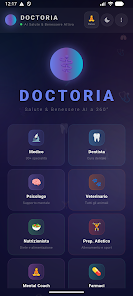
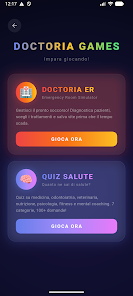
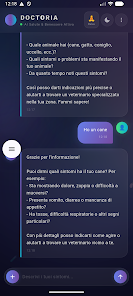
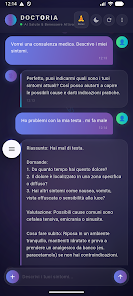
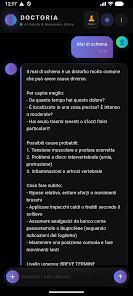
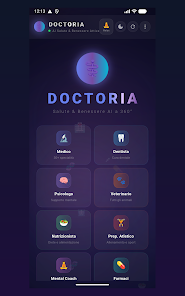
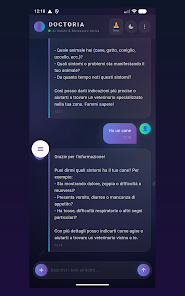
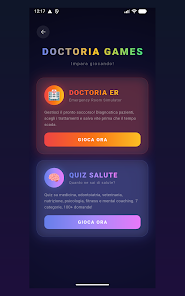
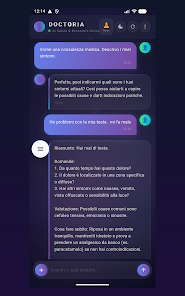
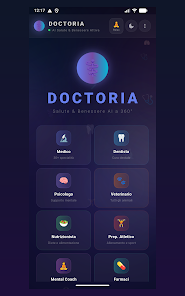
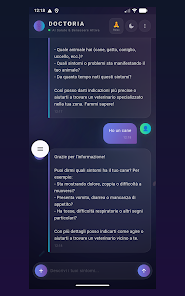
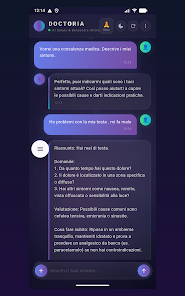
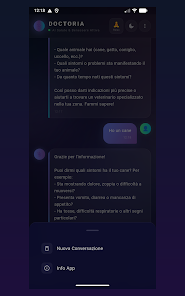
DoctorIA is a mobile diagnostic assistant that helps clinicians and patients quickly interpret symptoms, manage records, and access evidence-based recommendations. It combines AI-driven decision support, symptom checkers, and secure documentation tools to streamline clinical workflows for faster triage and clearer communication between care teams and users.
DoctorIA targets medical professionals and informed patients who want a compact, intelligent aid for early assessment and routine documentation. The app blends automated questioning, risk stratification algorithms, and a structured note system so users can move from symptom input to a suggested next step within minutes. It’s designed to complement clinical judgment rather than replace it, offering context-sensitive guidance and citations to relevant sources.
Using DoctorIA starts with a concise intake: demographic details, key symptoms, onset and modifiers. The engine then runs a diagnostic pathway that adjusts questions based on earlier answers, mimicking a clinician’s line of thinking. Results are presented as ranked possibilities with confidence indicators, recommended next actions, and links to clinical guidelines. Clinicians can edit generated notes before saving or sharing.
DoctorIA supports CSV and PDF export for documentation, and can integrate with common EHR systems through standard APIs or secure file exchange. Built-in calculators—such as risk scores and dosing aids—help reduce manual effort during consultations. The app also stores audit logs for each session, which is useful for quality review or teaching.
The interface emphasizes clarity: modular cards, color-coded risk levels, and concise prompts minimize visual clutter. Navigation is fast, with most assessments completed in under five minutes on mid-range devices. Offline caching is available for areas with intermittent connectivity, and local encryption protects stored data. Notifications and reminders are configurable to avoid alert fatigue.
DoctorIA lets institutions customize screening templates and clinical pathways to match local protocols. Users can tailor question sets, set default referral pathways, and add institution-specific patient education handouts. These options make the app flexible for primary care, urgent care, and telehealth services while maintaining a consistent user experience.
Primary care teams use DoctorIA to standardize triage and reduce unnecessary testing. Telehealth clinicians appreciate the structured intake that reduces call time without sacrificing detail. Nursing staff find the checklist-style assessments helpful during handovers, and medical educators use anonymized cases from the app for training and feedback loops.
Medical teams often highlight the app’s speed, structured note output, and the ability to standardize assessments across providers. Patients report clearer explanations and more actionable after-visit instructions. The balance between automation and editorial control—where clinicians can refine generated notes—helps maintain professional oversight.
Installation is straightforward from the Android app store. After account setup and institution verification, administrators can push customized templates to users. The onboarding tutorial walks through a sample case and shows how to export documentation. Support resources include an in-app help center and a knowledge base for advanced configuration.
DoctorIA is positioned as a practical tool for busy clinics seeking consistent, evidence-informed triage and documentation. With configurable pathways, lightweight integrations, and clear output, it aims to reduce administrative burden while supporting better patient communication and safer decision-making.