Kostru Pro
Version: 1.0
66.19MB
4.3




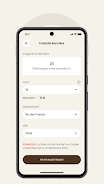
Kostru Pro streamlines construction planning and on-site coordination with an intuitive mobile toolkit for professionals. It combines project scheduling, material estimation, and simple 3D sketching into one interface, enabling fast decision-making and clearer client communication across multiple projects for architects, contractors, and site managers.
Kostru Pro packs a collection of practical tools designed to reduce paperwork and speed up routine tasks. Its core modules let teams create task timelines, generate bill of materials, mark up plans, and capture progress photos tied to specific work items. Integration with cloud storage keeps everything synchronized across devices.
The workflow in Kostru Pro emphasizes simplicity: start by creating a project, import or sketch a plan, and then build a task list tied to areas of the design. Team members receive assignments and can update status from the field. Collective edits are merged with conflict-management prompts so that the most recent, verified data is retained.
While not a full BIM suite, Kostru Pro offers lightweight visualization features that help communicate intent. Users can sketch two-dimensional layouts, layer annotations, and switch between plan and photo views to compare design versus reality. These visuals are useful for client reviews and short iterative cycles on-site.
Collaboration is central to Kostru Pro’s value. Project owners can invite teammates, set roles, and limit editing rights. Reporting tools generate summaries of progress, outstanding tasks, and cost estimates that can be exported as CSV or PDF for stakeholders. Integration points with common cloud drives and email make sharing straightforward.
Kostru Pro is optimized for mid-range Android devices but scales well on tablets for larger-screen editing. Offline mode allows teams to continue working when connectivity drops; changes sync automatically once a network is detected. Background processes are kept minimal to preserve battery life and ensure responsiveness during heavy use.
Data protection features include encrypted transfers, optional PIN or biometric access, and configurable retention policies for archived projects. Administrators can manage team access centrally and audit recent activity to track changes and assignments, which helps maintain accountability across multiple sites.
Onboarding with Kostru Pro focuses on rapid adoption: import an example project, invite two or three collaborators, and walk through basic tasks like adding a milestone and recording a daily photo. In-app tooltips and a searchable help section shorten the learning curve so teams can move from setup to productive use within hours.
Small to medium construction firms, renovation contractors, and site supervisors will find Kostru Pro particularly useful for coordinating work and keeping documentation current. It reduces time wasted by duplicate communication and helps teams maintain a single source of truth for project status and materials.
For teams looking to modernize field operations without complex installations, Kostru Pro offers a focused, reliable toolkit that balances powerful features with a clean, mobile-first interface.