
LINE MUSIC 音楽はラインミュージック
Version: 3.9.4
13.60MB
4.2






LINE MUSIC 音楽はラインミュージック is a streaming service that brings a vast catalog of songs, curated playlists, and social sharing tools to your Android device. Designed for casual listeners and music lovers alike, it blends discovery features, personalized recommendations, and tight integration with messaging so you can listen and share effortlessly.
This review focuses on the app's practical strengths: ease of use, content organization, and playback performance. LINE MUSIC 音楽はラインミュージック supports high-quality streaming, offline downloads, and mood-based playlists, making it suitable for daily commutes, background listening, and focused music exploration. The app balances simple navigation with robust options for managing tracks and playlists.
The app offers a set of tools that cover most listening needs. Key items include search and discovery that surface both global hits and local favorites, precise playback controls, and an intelligent recommendation engine. Social sharing is built in, enabling users to post songs or clips directly to messaging apps and timelines. Sound quality settings and cache management give you control over data use and storage.
Interface design favors minimalism, with clear tabs for Home, Search, Library, and Profile. Navigation is fast on modern devices and remains usable on older hardware thanks to lightweight animations and responsive touch targets. Buffering times are generally low, though performance can vary with network conditions and selected audio quality. The app includes practical options for reducing data consumption without sacrificing too much quality.
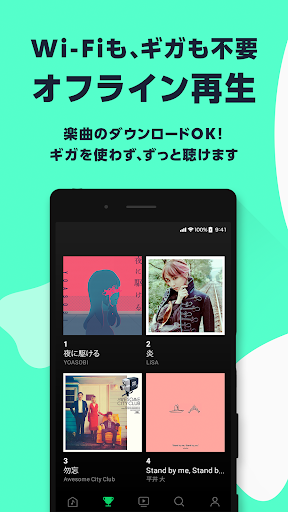
Playback revolves around curated playlists, radio-style streams, and on-demand tracks. Recommendations adapt to your listening habits and can be reset or refined by liking or skipping songs. Offline mode lets you download albums and playlists for later playback; a storage manager displays space used and offers quick cleanup. Crossfade, repeat, and shuffle controls allow personalized listening sessions.
Creating and organizing playlists is straightforward. You can drag and drop songs into playlists, reorder tracks, and add descriptive titles. Collaborative playlists let friends contribute, which is useful for parties or shared road trips. Tags and filters enable quick sorting by genre, mood, or release date. For active listeners, the app provides history logs and the option to save favorite stations for instant access.
One of the app's strengths is how it connects with social tools. Share tracks directly into chats, send short song previews, or post recommendations to timelines. Integration extends to device casting and Bluetooth accessories, so you can switch easily from headphones to speakers. The app also supports lyrics display for many tracks, with timed synchronization that enhances sing-along sessions.
To maximize battery life and data efficiency, adjust streaming quality in settings and enable download over Wi-Fi only. Use the scheduled download and automatic cache cleanup options to keep storage under control. For long trips, create offline playlists ahead of time and use low-power mode on the player screen to reduce background activity while listening.
Listeners who appreciate both mainstream and regional music will find lots to love. LINE MUSIC 音楽はラインミュージック suits users who want social sharing features tied to messaging and for those who prefer curated discovery over manual searching. It’s also a good match for people who demand offline access and clear organization tools for large music libraries.
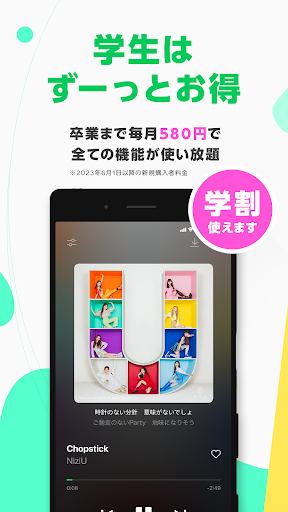
Begin by downloading the app and signing in with your preferred account. A guided setup helps you choose favorite genres to improve initial recommendations. The free tier offers basic playback with ads, while premium subscriptions remove ads, unlock higher bitrates, and enable unlimited downloads. Explore the initial suggested playlists to quickly tune the recommendation engine to your taste.
Whether you’re building a personal archive or want an app that plays well with social features, LINE MUSIC 音楽はラインミュージック delivers a capable, polished music experience. Try the free version first to evaluate sound quality and recommendation relevance, then move to a subscription if you need offline playlists and higher-quality streaming.