
Cubasis 3 - DAW & Music Studio
Version: 3.1.2
65.90MB
4.3
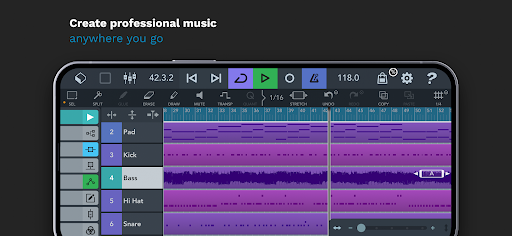
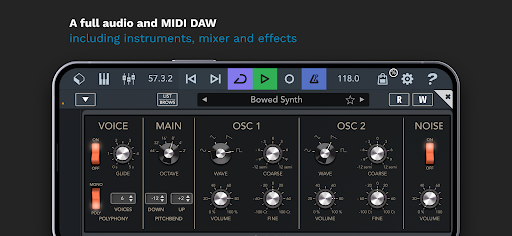
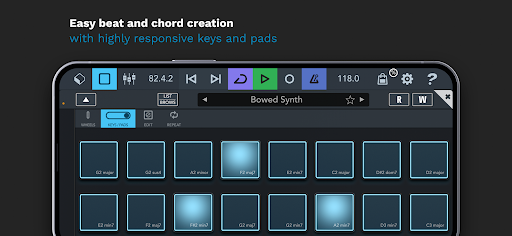
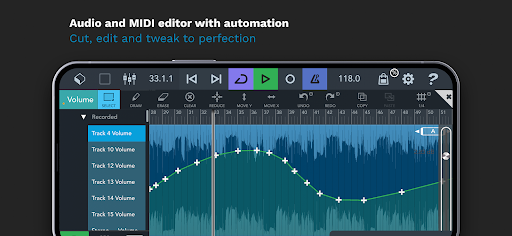
Cubasis 3 - DAW & Music Studio brings a professional mobile production environment to Android devices, combining multitrack audio and MIDI recording, a compact but powerful mixer, virtual instruments and a touch-optimized workflow so creators can sketch, arrange and finish music away from the desktop. The app balances precision editing and tactile controls so that recording, comping and arranging feel natural on phones and tablets while still offering export options suitable for further work in a studio.
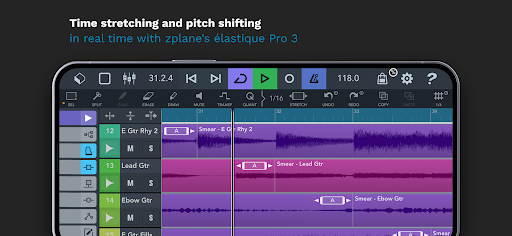
The feature set centers on simultaneous audio and MIDI tracks, nondestructive multi-take recording, a full piano-roll MIDI editor and a channel-strip mixer with insert and send effects. Time-stretching and pitch-shifting tools let you adapt performances to new tempos or keys, while automation lanes provide fine control over volume, pan and plugin parameters. Stems and MIDI exports are supported with selectable sample rates and bit depths, making it straightforward to transfer projects between Cubasis 3 - DAW & Music Studio and a desktop DAW for final mastering.
The interface is laid out to reduce menu diving: a persistent transport bar, clear track lanes and context-aware inspectors keep common actions one or two taps away. Drag-and-drop arranging, pinch-to-zoom and precision snapping speed up editing, and a responsive touch piano and MIDI input allow real-time performance capture. Gesture-friendly controls let you trim fades, split regions and nudge clips with a finger, while channel strip controls and quick access to effects help you shape sounds without interrupting creative flow.
Recording includes multi-take support and comping, so you can assemble a best-of performance from several passes. The MIDI editor provides piano-roll editing with velocity lanes, quantize and groove tools for tightening or humanizing parts. External MIDI controllers are supported, and flexible routing means you can record inputs into separate tracks, route virtual instruments through buses or subgroups for grouped processing, and monitor with low latency when using compatible audio interfaces.
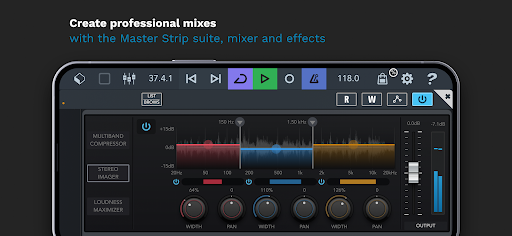
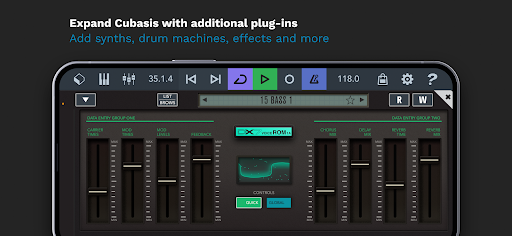
The included instrument collection covers acoustic emulations and modern synth textures with editable parameters and preset browsers for quick sound selection. Instrument layering, effect chains and automation allow evolving textures and dynamic arrangements. The mixer supports third-party plugin slots where supported, send/return buses for shared effects like reverb and delay, and a built-in equalizer and dynamics modules on each channel to shape tones during the mixing stage.
Projects can be organized with templates and presets that reflect different genres or session types to reduce repetitive setup. Track colors, marker lanes and folder tracks help keep larger arrangements readable on smaller screens. Because sessions are fully editable and support undo histories, projects invite iterative revisiting: sketch a song, refine the arrangement, and export stems at different stages for collaboration or mastering, increasing the app’s long-term replay value for songwriters and producers alike.
Export options include full mixes, individual stems and standard MIDI files with configurable sample rates. Session files use standard formats to ease transfer to desktop DAWs, and local file import/export along with optional cloud integration make backup and collaboration practical. The app is designed to be fully usable offline for recording and editing, so you can work without a network connection and export projects later when you have access to cloud services.
Performance tuning options such as buffer size and sample-rate adjustments let you trade off latency and CPU load depending on your device. Cubasis 3 - DAW & Music Studio aims for stable playback across a range of Android hardware and supports common audio interfaces for direct monitoring. Accessibility considerations include clear visual contrast in the mixer and scalable zooming to help users focus on different elements of a session; touch targets and contextual controls reduce the need for precision when navigating on smaller screens.
Start with a template that mirrors your intended tempo and instrument layout to shorten setup time, use subgroups in the mixer to manage dense arrangements, and record multiple takes so comping tools can help you assemble the best performance. When preparing stems for mastering, export at a higher sample rate and keep an unprocessed backup of your mix to preserve headroom for final processing. Regularly consolidate tracks to save device resources during large projects.
Musicians, producers and content creators who need a portable, capable production environment will find a balance of hands-on control and professional features in this app. Whether sketching song ideas, producing complete arrangements or preparing stems for studio finishing, the combination of recording reliability, flexible routing and instrument/effect tools makes Cubasis 3 - DAW & Music Studio a practical choice for mobile music production without sacrificing core studio workflows.