
Tablet App FitnessUP
Version: 1.2.3
8.60MB
4
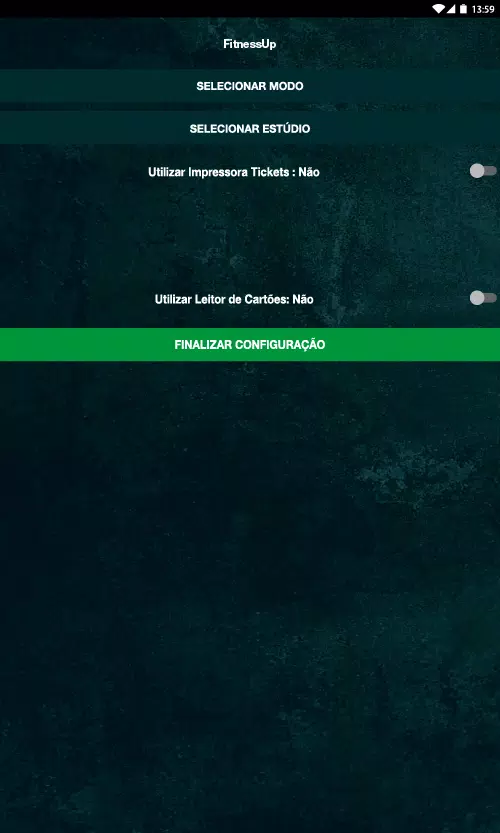


Tablet App FitnessUP is a tablet-only workout management tool designed for use on in-house devices at FitnessUP gyms, providing authorized members and trainers with a focused interface to follow personalized training plans. Tablet App FitnessUP opens to large, touch-friendly screens so users can begin sessions quickly, follow step-by-step guidance, and record sets, reps and weights without navigating complicated menus. The app is built to reduce friction during gym hours: clear prompts, simple timers and immediate logging keep attention on the workout while capturing the data that drives progression.
The core of the app is a set of guided workout plans tailored to individual member profiles and the gym’s programming. Each plan breaks workouts into segments with explicit targets for sets, reps, tempo and rest intervals, and provides on-screen cues for transitions. Exercise logging captures volume, intensity and rest, while compact progress visualizations show trends such as weekly volume, recent personal bests and consistency in session completion. On-device timers, repetition counters and form reminders are presented as concise overlays so equipment and floor traffic remain the user’s focus.
Controls are optimized for touch-first operation on the tablet models used in FitnessUP facilities. Large, high-contrast buttons, swipe-to-skip gestures and touch-and-hold confirmations prevent accidental changes during heavy lifts or quick transitions. Each session follows an intuitive flow: warm-up, main sets, accessory work and cooldown. Users can move forward or back between segments without losing recorded data, and the interface preserves context so athletes see the next set or exercise at a glance.
Progression in Tablet App FitnessUP uses recorded performance to adapt upcoming sessions. When members log completed sets, the system highlights trends such as increased volume, improved rep consistency or shortened rest times. Trainers and members can select from progression presets that reflect common training objectives—gradual load increases, intensity cycles or maintenance phases—and the app applies those choices to future sessions, adjusting set counts, load suggestions and microcycle structure to match the chosen approach.
Workouts are built from modular session templates that form a structured level progression from basic to advanced stages. Templates can be repeated, stepped up, or adapted to introduce progressive overload over weeks. Challenge systems are implemented through targeted microcycles and optional intensity modifiers inside each session, such as reduced rest blocks, tempo changes or increased set density. These options allow clubs to create measurable short-term challenges without changing the overall program structure.
The app supports per-user customization within the gym environment: preferred start screens, difficulty settings, exercise substitution options and flags for coach attention or demonstration. Trainers can note individual restrictions or equipment substitutions which remain attached to the member’s plan on the tablet. Visual layout choices favor high-contrast text, readable icons and uncluttered screens so both new and experienced users can interact confidently between sets.
Tablet App FitnessUP is designed to run reliably on dedicated tablets with minimal dependency on continuous internet access. Session entries are recorded locally when connectivity is limited and automatically synchronize with the gym’s systems once a connection is available, preventing data loss. As a facility-limited tool, personal training records remain accessible only through authorized gym accounts and on-premise systems, following common in-house data handling practices rather than public sharing.
Members gain replay value by repeating modular sessions and comparing performance across weeks and months; the app makes it easy to return to previous cycles, extend effective phases or adapt templates for new goals. Accessibility options include adjustable font sizes, simplified navigation modes and larger touch targets for users who need them, and the visual style supports quick readability in brightly lit gym environments. Together these elements support consistent training, easy setup between sessions and clear documentation of incremental progress over time.