Doomscroll Killer
Version: 15.0.1
23.96MB
4.2
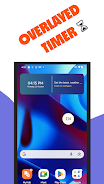
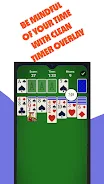
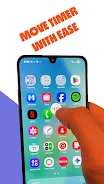
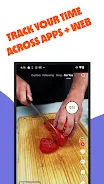
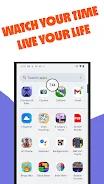
Doomscroll Killer helps you regain control of your screen time by placing a small, persistent on-screen timer over any app so you always know how long you’ve been using your phone today. The overlay is visible while the screen is on and requires the Display over other apps permission to operate; it runs locally on your device and does not send usage data to servers. If you want a simple, privacy-focused reminder that interrupts automatic scrolling and encourages short breaks, Doomscroll Killer gives an honest, always-visible count without digging through settings or installing heavy tracking tools.
The core feature is a real-time, on-screen counter that accumulates your total active phone time for the current day. The overlay is draggable so you can position it where it interferes least with reading or watching content, and it remains compact and readable even while you browse. Doomscroll Killer tracks only when the screen is on to measure active use rather than idle background time. The app offers a free three-day trial, followed by a one-time unlock for $0.99, and deliberately avoids ads and external tracking libraries to keep the experience focused and private.
The timer runs locally and increments while your display is on, pausing automatically when the screen turns off. Because it uses the Display over other apps permission, the overlay appears as a lightweight layer on top of other apps without changing how those apps behave. There is no per-app breakdown or cloud synchronization; the goal is a simple, persistent meter that increases your moment-to-moment awareness of total screen time. This minimalist approach reduces complexity, keeps battery and data use low, and makes the app suitable for daily use.
Interaction is intentionally simple: drag the overlay to reposition it and tap it to open the app settings or temporarily hide the display if you need an uninterrupted view. Settings are streamlined to avoid decision fatigue — you can adjust basic visibility options so the timer remains unobtrusive yet legible. The design favors clear digits and minimal contrast so it stays readable across different wallpapers and apps while being easy on the eyes during long sessions.
Although Doomscroll Killer does not provide cloud-connected leaderboards or social features, you can use the timer as the backbone for personal progression: apply simple daily limits, set personal goals outside the app, and check the overlay periodically to track progress toward those goals. Many users adopt short challenges — for example, aiming to reduce daily screen-on minutes by a fixed percentage from one week to the next — and use the persistent timer as an objective, always-visible measure of success. Because the app runs locally and immediately updates with your screen time, it can support repetitive daily practice and long-term habit change without intrusive reminders.
Doomscroll Killer is designed for inclusive use: the large numeral display improves readability for users with visual impairments and the minimal UI reduces cognitive load for those who prefer straightforward tools. The app works entirely offline and stores any small usage counters locally on the device, so it remains functional without network access. Performance is optimized for low power impact — the overlay itself uses negligible CPU cycles compared with full-screen apps — and an intentional lack of background syncing means your battery and data are preserved.
Privacy is central: the app runs locally and does not collect personal data or upload usage metrics. The only permission required is Display over other apps so the timer can be shown on top of other content; Doomscroll Killer explains this permission at first launch and why it is necessary. Because tracking is limited to screen-on time, the app does not claim device-wide analytics or detailed per-app statistics. If you prefer more granular reports, consider combining this lightweight overlay with the built-in digital wellbeing tools on your device rather than relying on external services.
Doomscroll Killer intentionally keeps scope narrow: it measures screen-on duration only, does not provide per-app breakdowns, and does not sync to the cloud. Some users may be reluctant to grant overlay permission, and others may want deeper analytics than this app offers. Those trade-offs are part of the design: a small, persistent reminder that is private, low-cost, and focused on increasing awareness rather than producing exhaustive usage reports.