
FocusFine
Version: 0.4.4
40.00MB
4.3
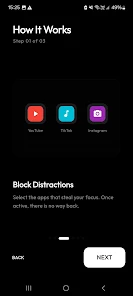
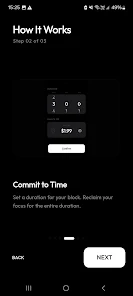


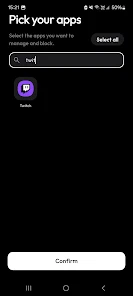
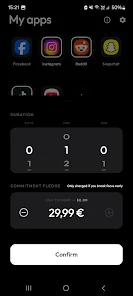
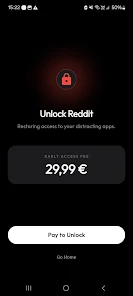
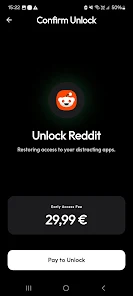
FocusFine is a productivity app designed to improve concentration and task management by combining a disciplined timer, distraction blocking, and easy scheduling tools. It streamlines daily workflows, tracks focused sessions, and gives clear analytics to help users build better habits and stay on task throughout the day.
FocusFine offers a compact set of tools focused on real-world productivity: a configurable session timer, app and site blocking, a lightweight task manager, and session analytics. The interface keeps controls accessible so you can start a focus period with a single tap and return to work without friction.
The core workflow centers on focused intervals. Set a session length, add a short break or a long break cycle, and begin. During a session, optional blockers prevent notifications and restrict access to selected apps and websites. Session completion records your work period, and you can tag each interval to associate it with a task or project.
FocusFine makes it easy to plan and execute. Tasks are lightweight and can be assigned priorities, estimated focus time, and tags. Rather than a deep-featured project manager, the app emphasizes quick capture and clear handoff into focus sessions. Tasks can be reordered, split into multiple focus periods, or marked done when finished.
One of FocusFine’s strengths is its feedback loop. Daily and weekly summaries visualize how time was spent, showing streaks, total focused minutes, and areas of improvement. Charts and simple statistics help identify patterns so you can adjust session length, blocking strictness, or task estimates.
Design choices keep the UI uncluttered while allowing personalization. Pick a compact or expanded layout depending on device size. Color themes and a dark mode reduce eye strain during long sessions. Notifications are customizable so reminders are helpful rather than distracting.
FocusFine is optimized for low battery impact and responsive performance on a wide range of Android devices. Background services are efficient, and the app is designed to function offline for most features. Cloud sync and backup options are available for users who want to keep settings and session history across devices.
Begin by creating a few tasks and setting one focus timer. Configure blocking rules for the most distracting apps and try a short 25-minute interval to see how it feels. Use the analytics after a week to refine your session lengths and scheduling patterns for better results.
FocusFine balances simplicity with powerful controls. It avoids overwhelming settings while still giving precise tools for blocking distractions, measuring progress, and organizing work. The app is ideal for people who want to establish reliable focus habits without a steep learning curve.
With a small footprint, thoughtful defaults, and practical analytics, FocusFine helps you turn intentions into measurable progress and keeps your day structured around meaningful work.