Bonix AI
Version: 1.0.35
14.00MB
4.4
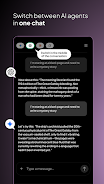
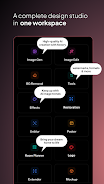
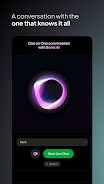
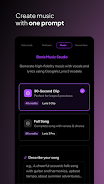
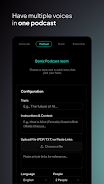
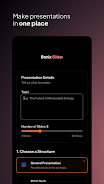

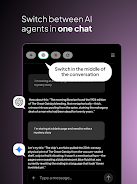
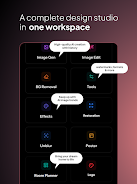
Bonix AI brings leading artificial intelligence models into a single, easy-to-use app, giving you on-device access to chat, content creation, and learning tools without bouncing between services. Bonix AI collects top models such as GPT, Gemini, Claude, and Grok in one interface and presents them through dedicated assistants, a creative studio for images, video and music generation, and integrated writing and practice toolsets. Designed for phones, tablets, and computers, the app is aimed at users who want a unified productivity and creative workflow that supports drafting, studying, prototyping, and producing multimedia quickly and without switching apps.
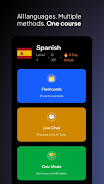
The app centralizes chat, generation, and learning into coherent workflows: conversational assistants for brainstorming and coding help, an AI Studio for stepwise image and media creation, and an AI Writer for drafting emails, articles and business documents. Within each workflow you move from prompt to preview to refinement, keeping an editable history so outputs can be iterated. The Practice Hub supplies mock interviews, SQL exercises, and language flashcards that mirror the same iterative loop, allowing prompts and corrections to be applied until desired results are reached.
Interaction in Bonix AI is model-agnostic at the interface level: you choose a task, pick a preferred model or assistant persona, and the app routes requests to the selected backend while preserving your prompts and edits. For creative projects you can generate rough drafts, produce higher-fidelity previews and apply style modifiers from the creative studio. For writing tasks the AI Writer can create structured outputs such as lists, outlines and draft paragraphs, then export text to copy, share or open in other productivity tools. Learning modules are organized into short lessons with checkpoints and quizzes so you can measure improvement over time.
Bonix AI uses familiar mobile and desktop controls to keep the learning curve low: touch gestures and contextual menus on mobile, keyboard shortcuts and drag-to-edit on larger screens, and voice input where supported for hands-free prompts. The interface emphasizes inline editing and reproducible prompts so you can tweak settings like tone, length and creative constraints without restarting the process. Configuration panels let you save preferred prompt templates and assistant settings to speed up repeated tasks.
The progression model focuses on incremental skill building rather than gamified rewards: learning tracks include sequential lessons, practice challenges, and quizzes that unlock subsequent modules when you reach accuracy thresholds. The Practice Hub provides realistic scenarios such as timed mock interviews or SQL problem sets, with immediate feedback and the option to retry variations. Over time you can track which lessons you revisited most and focus on weak areas to make study sessions more productive.
Bonix AI presents a clean, modern visual design that prioritizes content over chrome: workspaces are organized into clearly labeled modules—Chat, Studio, Writer, Practice, and Courses—with consistent typography and contrast for long-form work. Within the Studio you can customize visual presets, aspect ratios, and generation parameters to match a preferred aesthetic. Personalization options include assistant nicknames, saved prompt templates, and adjustable output verbosity, enabling workflows that feel tailored rather than generic.
Replay value comes from iterative creation and practice: generative tasks often require multiple passes to reach a finished result, and the same applies to interview practice or language drills where repeating and refining responses leads to measurable improvement. The app is useful for students preparing for exams, creators prototyping visual concepts, and professionals drafting communications or analyzing code snippets. Saved histories and templates encourage reuse and experimentation across projects.
Accessibility features include readable type sizes, voice input and clear contrast modes to support a range of users. While most model-powered features require an internet connection to access remote AI services, the app allows offline access to saved drafts, downloaded course content and cached media so you can continue reviewing or editing previously generated work without a live connection. Cross-device sync ensures that drafts and progress carry over between phone, tablet and desktop when you reconnect.
Generated content varies in quality and often benefits from human editing and fact-checking before publication; advanced creative or technical outputs may require experimentation and oversight to meet professional standards. Because multiple models are consolidated into one interface, you may see different styles or responses when switching assistants, and some features depend on external model availability and network conditions. Treat Bonix AI as a productivity and learning companion that accelerates ideation and practice while keeping human review central to the final result.