Pars IPTV
Version: 1.0.5
89.88MB
4.1
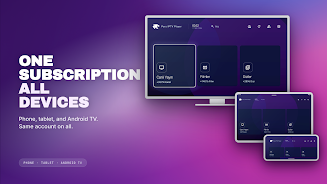


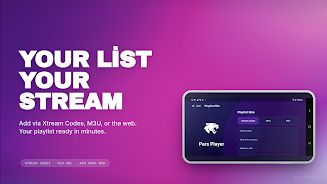
Pars IPTV is a lightweight, polished media player that lets you stream live TV, movies and series using playlists from your existing IPTV subscription. Pars IPTV does not supply any channels or broadcasts itself; instead you point the app to an M3U/M3U8 URL or log in with Xtream Codes credentials provided by your IPTV provider. The primary goal is to give a single, consistent playback experience across phones, tablets and Android TV hardware while keeping controls, navigation and viewing history familiar whether you use touch or a remote.
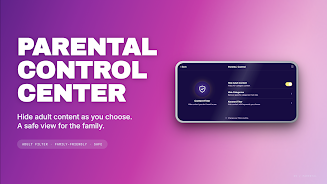
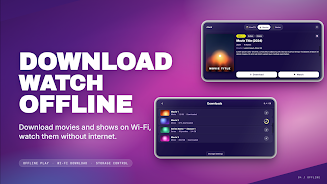
The app supports both M3U/M3U8 playlists and the Xtream Codes API, so you can add a playlist URL or enter username and password to load channels fast. Pars IPTV includes a modern playback engine with 4K and HEVC decoding on capable devices, adaptive buffering to reduce stutter on variable connections, multi-audio and multi-subtitle selection, Picture-in-Picture playback for multitasking, and simple touch sliders for brightness and volume. It also offers PIN-protected parental filters, an in-app download manager for offline viewing, and optional sign-in to synchronize playlists and watch progress across your devices.
The interface is designed to be remote-friendly and accessible: D-pad focus highlights, large touch targets, numeric channel entry and audible focus feedback make channel surfing comfortable on TVs. On phones and tablets the layout adapts to portrait and landscape, preserving easy access to channel lists, program guides and playback controls. Watch history and resume positions are stored locally and can be synced when you sign in, making it practical to switch between a phone and a TV without losing your place.
Playback controls are straightforward and customizable: skip, rewind and fast-forward gestures on touch screens, fine-grain volume and brightness sliders, and explicit track selection for alternate audio and subtitles. Pars IPTV also respects system accessibility settings such as large text and TalkBack, and provides clear focus indicators and simple menu structures for users who rely on assistive technologies. Numeric channel entry and favorites help users with limited dexterity get to channels quickly.
You can organize channels into favorites and categories using the structure provided by your playlist or by editing channel groups in the app. Progression in Pars IPTV is expressed through watch history, resume points and a simple offline library where downloaded episodes and movies are kept until removed. Customization options include display aspect ratios, preferred audio and subtitle languages, and the ability to choose a preferred player backend when multiple decoders are available on a device.
Offline downloads are handled by an integrated download manager that queues downloads, shows progress and stores files encrypted on the device to prevent casual copying. Downloads let you watch episodes or films without a network connection, useful for travel or unreliable Internet. When you sign in to the optional account features, playlists and watched positions can be synchronized so your library and resume points follow you between devices, while parental controls remain PIN-protected.
The visual design is minimal and TV-optimized, focusing on legible text, clear thumbnails and unambiguous controls rather than flashy skinning. Playback performance is a priority: the engine aims for fast channel switching, low startup latency and automatic selection of available hardware decoders. Keep in mind that 4K and HEVC playback depend on device hardware and Android version; older devices may fall back to lower resolutions or software decoding.
Pars IPTV does not include any built-in channels or content—users must supply an M3U or Xtream Codes playlist from their IPTV provider. Some advanced or premium features require a subscription after a 7-day free trial, and simultaneous viewing may be limited to one device depending on the subscription plan. Network quality, playlist structure and provider-side restrictions can affect channel availability and EPG data completeness.
The app runs on phones, tablets and Android TV boxes; for best results use a device with recent Android releases and hardware decoding support for modern codecs. If a channel fails to play, check the playlist URL, credentials, network connectivity and try toggling the player backend in settings. Pars IPTV is intended as a convenient, consistent player for your existing subscription and aims to simplify channel management while keeping features like parental controls, offline viewing and cross-device sync accessible and easy to use.