DidI
Version: 1.6.1
47.06MB
4

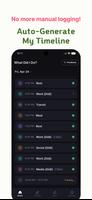
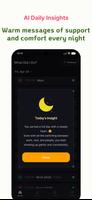

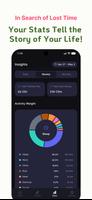
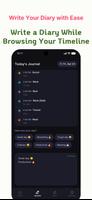

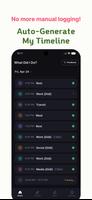
DidI is a smart lifelogging app that quietly records where you go and what you do, turning movement, location and app usage into a readable timeline so you can remember each day without lifting a finger. It’s for anyone who skips journaling because it feels like a chore or who wonders “what did I do today?” each evening. DidI auto-generates a visual diary of your day, offers an AI-powered nightly summary that highlights patterns and emotions, and lets you add quick notes to context-rich entries — all while prioritizing strong privacy controls.
✨ Automated Timeline: DidI analyzes background movement, location and app usage to infer activities like studying at a cafe, working at the office, or walking in the park and builds a clear, chronological view of your day.
✨ AI Daily Insight: Each night an AI summary arrives with two tones — a gentle companion that recognizes effort and offers encouragement, and an objective analyst that highlights efficiency and behavioral patterns.
✨ Context-Based Diary: Add feelings or short notes directly to automatically generated timeline entries so journaling feels natural and memory recall is immediate.
✨ Ultimate Privacy Protection: Sensitive data is processed on-device by default, cloud backups (if used) are protected with AES-256 encryption, and data used for AI summaries is handled temporarily and not used to train models.
✅ Effortless record keeping that captures daily moments without manual entry, making it easier to keep a consistent diary.
✅ Clear visual timelines help you spot routines and gaps, useful for reflection and planning better days.
✅ Personalized nightly summaries encourage mindful review and can surface productivity or wellbeing trends over time.
✅ Privacy-first design: DidI keeps sensitive processing local by default and offers strong encryption for optional backups.
❎ Requires permission to run in the background and access location, movement and app usage data, which some users may be reluctant to grant.
❎ Automatic activity inference may occasionally mislabel events or miss subtle context that only a manual entry would capture.
❎ Cloud backup must be enabled by the user if they want off-device copies, otherwise records remain only on the device.