Fast Dialer: Call App
Version: 1.0.0
14.00MB
4.5
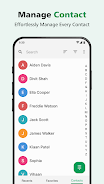
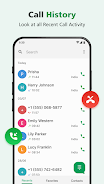
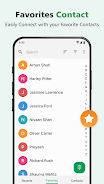
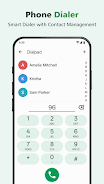
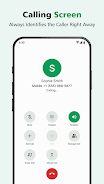
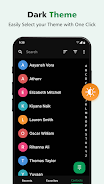
Fast Dialer: Call App brings a lightweight, privacy-minded dialer to your Android device — Fast Dialer: Call App combines an instant dial pad, fast contact search and local spam controls so Fast Dialer: Call App stays fast and simple while protecting your data.
The core experience centers on an intelligent dial pad and a streamlined contact search that reduce the time between needing a number and placing a call. The dial pad supports quick T9-style entry and instant call initiation so you can start calls with minimal typing, and search results update as you enter digits or letters. Results prioritize frequently used contacts and recent calls to help the most relevant entries appear first. Long-pressing a contact result opens contextual actions such as messaging, editing contact details, or adding to favorites, while swiping a history entry can trigger a return call or display call details. These mechanics are designed to be predictable and efficient for everyday use.
Built-in caller identification presents available information for unknown numbers so you can make an informed decision before answering. Spam detection is configurable: the app offers options to block, silence, or report suspicious numbers and to adjust how aggressive the filtering should be. Identification and blocklists are maintained locally on the device to keep core functionality private; when you choose, the app can perform optional updates to number databases while online to improve detection accuracy. Because identification relies on available number data, some callers will remain unknown and occasional false positives can occur; settings allow you to fine-tune behavior to match your tolerance for automated blocking.
Instead of formal levels or ranks, the app adapts by learning your everyday calling patterns so the interface becomes more convenient over time. Contact suggestions and the ordering of favorites evolve with continued use, surfacing frequently called people more quickly. You can create and manage a favorites list for one-tap calling, assign custom labels to contacts for faster search, and choose whether suggestions are grouped by frequency or recency. Small, deliberate personalization choices—like adjusting suggestion rules or renaming labels—provide a gentle progression in convenience without introducing complexity.
The interface emphasizes clarity and large touch targets to reduce mis-taps and improve accessibility. Important actions such as Call and Add to Favorites are placed prominently and the overall visual style is clean and modern with readable typography and high contrast for legibility. Controls are tactile and consistent: tapping for direct actions, long-pressing for contextual options, and swiping for history interactions. These design choices help the app feel familiar on a wide range of phones while keeping navigation quick and intuitive.
Core dialing and contact lookup work offline because contacts, favorites, and local blocklists are stored on the device; this makes the app useful in low-connectivity areas and supports privacy-conscious users. Accessibility features include support for larger font sizes, compatibility with screen readers, adjustable button sizes, and optional haptic feedback to assist single-handed operation. These settings help people with different needs tailor the dialer to their preferred interaction style.
Designed to be lightweight, the app minimizes memory and battery use so it runs smoothly on both modern and older Android devices with large contact lists. Optimizations focus on keeping search and call initiation responsive even when your address book grows, and background operations for optional database updates are scheduled to avoid noticeable battery drain. Because calling is a daily task, consistent responsiveness, reliable search, and practical spam reduction provide long-term value by saving small amounts of time repeatedly.
No dialer can identify every unknown number or remove all unwanted calls, and the app’s caller ID relies on available number data and community reports which may be incomplete. The design intentionally favors core calling features and straightforward privacy rather than an exhaustive set of niche or enterprise options; users who need advanced telephony suites may prefer a different tool. These trade-offs keep the experience focused, fast, and easy to use while making the app suitable for the majority of daily calling needs.
Install the app and grant the minimal permissions needed to access contacts and call functionality; the setup is intentionally short so you can start calling quickly. Spend a few days using the favorites and suggestion behaviors so the app can learn your patterns, then customize layout density, font size, and spam sensitivity to match your preference. If you want to keep identification current, enable optional database updates; otherwise the local-only behavior preserves privacy and offline readiness. Fast Dialer: Call App is built to make routine calling faster, clearer, and more private from the first day of use.