Flex Media Player
Version: 1.0.4
13.97MB
4.2

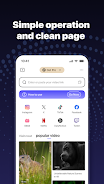

Flex Media Player is a lightweight, easy-to-use multimedia player that focuses on stable playback and straightforward controls for everyday viewing. It plays local video files and streams online content, delivering smooth visuals and clear audio so movies and shows feel seamless on phones and tablets. Users who want reliable performance without complicated settings will appreciate its optimized buffering and decoding, which reduce stutter on long videos. Flex Media Player also keeps permissions minimal and emphasizes privacy, so it stays unobtrusive while handling your media library and online streams.
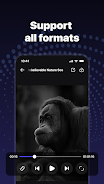
⭐ Flex Media Player supports mainstream audio and video formats such as MP4, MKV, AVI, MOV, WMV, FLAC, and MP3, reducing the need for transcoding.
⭐ Optimized playback engine with buffering and decoding improvements to minimize stuttering and latency during long videos.
⭐ Plays both local files and online streams so you can switch between offline libraries and internet content without changing apps.
⭐ Lightweight interface designed for quick access to playback controls and uncomplicated navigation.
⭐ Privacy-focused permissions model: requests storage, network, and media access only when necessary and avoids collecting unrelated personal data.
✅ Flex Media Player delivers stable, smooth playback that makes watching long movies and series more enjoyable.
✅ Broad format compatibility means fewer conversions and faster access to your files.
✅ A simple, uncluttered interface helps users find and play media quickly without a steep learning curve.
✅ Clear privacy stance with limited permissions and options to disable unnecessary access in settings.
❎ May be too minimal for users seeking advanced customization or professional-level playback controls and tools.
❎ Does not position itself as a full-featured video editor or media management suite, so library organization features may be basic.
❎ Users who expect deep streaming service integrations or niche codec support should verify compatibility for their specific needs.