NovoApp Conductor
Version: 3.2.0
59.61MB
4.5

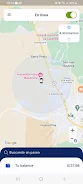
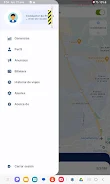
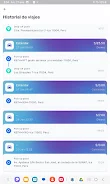
NovoApp Conductor is a driver-focused mobile application designed to connect taxi and independent drivers with passenger requests in real time while keeping operations simple, secure and efficient. NovoApp Conductor delivers ride requests to your device, provides live tracking and integrated navigation so you can reach pickups quickly, and supports a transparent payments workflow that helps drivers keep a clear record of earnings. Built for on-the-go use, the app emphasizes straightforward tools for managing trips, optimizing routes and controlling availability so drivers can work flexibly and maximize productive time on the road.
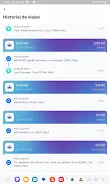
NovoApp Conductor consolidates the core tools drivers need into a single interface: immediate push notifications for nearby ride requests, map-based live tracking of passenger locations, step-by-step navigation integrated into the app, and secure settlement of cashless transactions. Trip history and an earnings dashboard make it easy to review completed work and check balances after each shift. Notifications, arrival alerts and simple in-trip controls reduce the need to switch between apps and keep task flow clear while driving.
The app’s workflow is intentionally direct: when a request arrives you get a clear prompt with estimated distance and fare details so you can accept or decline. Accepting a trip starts navigation and tracking; completing the ride records trip details and updates your earnings log. Over time the app helps drivers understand patterns in demand by providing basic summaries of active hours and earnings by day, which supports gradual progression in how drivers plan shifts and prioritize high-demand times. These operational summaries act as a simple progression system — not a ranking or multiplayer feature — that helps drivers refine schedules and route choices to improve efficiency.
The interface is optimized for quick, one-handed operation with large tappable areas for accepting requests, starting navigation and confirming drop-offs. Map gestures allow zoom and pan while clear on-screen prompts guide each stage of a trip. Drivers can customize notification preferences and choose whether navigation opens fully inside the app or links to a preferred external map application when available. The result is a streamlined control model that minimizes distraction and supports common driving tasks without introducing unnecessary complexity.
The visual style favors high-contrast text, legible fonts and uncluttered map views so essential information is visible at a glance. NovoApp Conductor includes options to increase font size and enable simplified screens for faster reads, and it provides voice prompts for key events—arrival alerts and navigation cues—so drivers can keep eyes on the road. Basic compatibility with screen readers and adjustable color themes helps accommodate a broader range of users and environmental conditions.
The app performs best with a stable mobile data connection and clear GPS reception, but it also includes measures to handle intermittent connectivity: recent route segments and trip details may be cached briefly to provide limited guidance if a signal drops, and completed trip data syncs automatically once a connection is reestablished. Battery-saving options reduce background activity when desired, and connection status is shown so drivers can make informed decisions about navigation and data use during a shift.
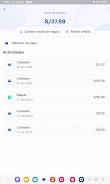
Secure payment handling records each completed trip and stores receipts that are easy to review in the earnings section. While the app supports cashless transactions and clear transaction histories, exact payout schedules and payment partners can vary by region; drivers should check the terms for their city or operator. Coverage and request availability differ by location and time of day, so potential users are advised to confirm local support before relying on the app as a primary source of work.
Getting started requires a short registration process and basic profile details so the app can route relevant requests; once configured, drivers can tailor availability windows, set preferred navigation options and review safety guidance built into the onboarding flow. Regularly updating the app ensures the latest map improvements and bug fixes, and checking notification and location permissions helps maintain reliable request delivery and accurate trip tracking.