WC Finder
Version: 2.0.4
55.40MB
4.2
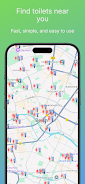
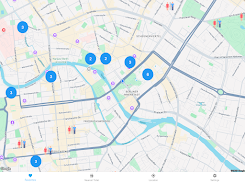
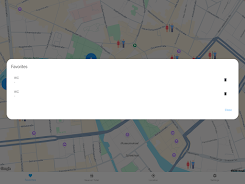
WC Finder is a compact utility designed to help you locate public toilets quickly and reliably when you are travelling, commuting or attending events away from familiar neighborhoods. The app immediately uses your device GPS to show nearby restrooms on an interactive map and presents practical details such as opening hours, any fees, and accessibility information so you can decide with confidence where to go. With WC Finder installed you can reduce stress and save time by finding the closest facilities with a single tap and a clear route to your destination.
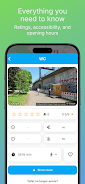
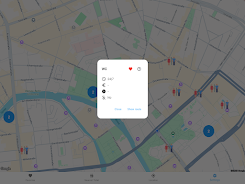
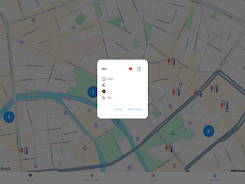
At its core the app combines location detection with an easy-to-read map interface so you can visualize options around you. Pull up the map and tap a marker to see a listing card that includes the facility name, operating schedule, entry cost if applicable, and notes about wheelchair access or baby-changing rooms. The app links markers to your preferred navigation app so you can start turn-by-turn directions from your current GPS location. Search and filter controls allow you to narrow results by distance, accessibility features, or free versus paid toilets, making it simple to match results to your situation.
The interface is designed for fast, one-handed use when you need a restroom urgently. A prominent locate button centers the map on your live position, while tap-and-hold or long-press gestures let you preview nearby options without leaving the map view. Listings include clear action buttons for navigation, calling a facility when a phone number is available, or viewing full details. Settings let you adjust how distance is measured, set a preferred navigation app, and control how search results are displayed so the app behaves the way you expect during everyday use.
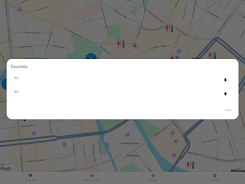
WC Finder adapts to your habits over time by making recent searches and saved favorites easier to access, so frequently used facilities are just a swipe away. Saving favorites builds a personal list of trusted locations for repeated trips, and history helps when you want to return to a spot you found previously. These small progression elements improve convenience and give the app ongoing value for both short trips and regular commutes, increasing its usefulness instead of being a one-time download.
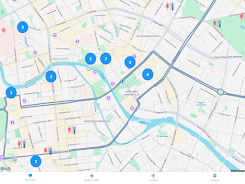
The app’s visual design focuses on clarity and legibility: high-contrast map markers, readable fonts, and concise listing cards mean you can understand your options at a glance. Map zoom levels are optimized to reveal clusters of facilities in dense areas and to show broader context in suburban or rural views. Icons and color cues quickly communicate accessibility and fee information so you can compare options without reading every detail.
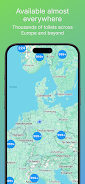
WC Finder maintains a regularly updated database of public facilities to keep listings accurate and current. In places with limited connectivity the app preserves basic search results and recent favorites so you still have access to important information when offline. Coverage can be denser in urban centers and sparser in very remote regions; the app highlights when a listing was last verified to help you judge reliability. Periodic updates to the dataset are performed to add new entries and correct outdated information.
Accessibility is central to the listing details: notes on step-free access, accessible stalls, and family facilities are shown when available so you can select locations that meet your needs. The app requests location permission to provide accurate, real-time results and explains why that permission is needed. WC Finder collects only the minimum data required to deliver location-based search results and offers clear controls for managing permissions and clearing local history.
There are a few practical constraints to be aware of: you must enable location services for the most accurate experience, and coverage may vary in remote areas where fewer public facilities are recorded. Occasionally a listing may lack full details depending on its last update; in those cases the app suggests nearby alternatives and shows the verification date. For the best results, enable automatic updates so WC Finder can refresh its database and maps as new information becomes available.
The development focus is on reliability, fast lookups, and clear routing so the app remains a helpful companion whether you are exploring a new city or navigating your daily routine. Practical interface decisions, thoughtful controls, and informative listings come together to make WC Finder a dependable tool for finding restrooms when timing and convenience matter most.