Batman Wallpaper 4K
Version: 2.3.5
10.00MB
4.1
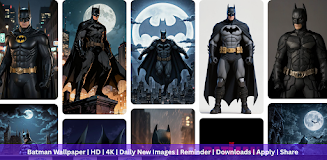
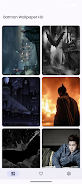
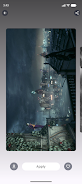
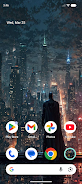
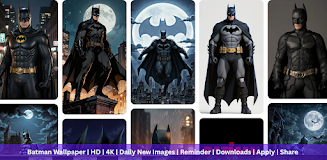
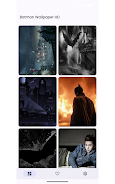
Batman Wallpaper 4K puts a growing collection of high-resolution Batman and DC Comics images on your device, making it simple to refresh your home screen and lock screen with cinematic artwork. Batman Wallpaper 4K emphasizes crisp 4K and HD photography and illustrations that match modern Android displays, and it places preview, set, download and sharing tools within easy reach so you can update your background in seconds.
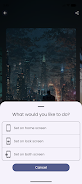
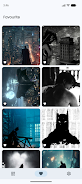
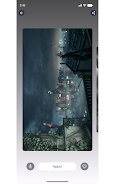
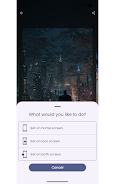
The app focuses on high-resolution content optimized for phones and tablets so images avoid blur or awkward cropping on large displays. Preview tools let you see how an image looks as a home screen or lock screen background before applying it, and one-tap set-up handles home, lock or both at once to reduce steps. You can download and save wallpapers to your device gallery for offline use and personal backup, share favorites quickly through messaging and social apps, and build a personal favorites collection that keeps your top images organized for repeat use. Regular weekly additions refresh the selection so returning to the app typically reveals new choices and seasonal artwork.
Navigation in the app is designed to be direct and lightweight so browsing stays fast. Thumbnails and clear labels help you scan categories and curated sections, while the preview screen provides simple controls for pinch-to-zoom, basic crop and positioning so you can frame an image before applying it. Large touch targets and a short, guided flow for setting a wallpaper make the process comfortable on one-handed devices, and the interface avoids deep menus so common tasks require only a few taps.
Images in Batman Wallpaper 4K are selected to deliver a cinematic, high-contrast look that suits darker home screen setups as well as vivid themes. The app preserves original aspect ratios and can offer center-crop or fit-to-screen options so artwork stays undistorted. You can mix and match images between home and lock screens for a personalized feel, and the curated approach helps users discover artwork in different visual styles, from minimalist silhouettes to detailed, action-oriented illustrations.
The wallpaper library is organized into themed collections and editorial sections to make discovery feel progressive rather than random. New content appears in a dedicated update section, and your favorites collection functions as a personal progression system: the more you use and save, the easier it becomes to maintain a gallery of go-to backgrounds. This lightweight progression encourages regular returns without requiring accounts or complex setup, focusing on steady refreshes rather than gated content.
Batman Wallpaper 4K is built to be fast and unobtrusive so it minimizes battery and memory use while you browse. Once an image is downloaded it is available offline in your gallery, which helps when you want to change backgrounds without an internet connection. The app supports Android 7.0 and later, and its streamlined architecture keeps load times short even on mid-range devices.
The design favors readable labels, clear contrast and large buttons to improve ease of use across different devices and for users who depend on assistive features. Controls are straightforward and consistent across screens, and the app avoids clutter so people can find and apply wallpapers quickly. If you rely on system accessibility services, the simple UI structure makes navigation predictable and efficient.
Batman Wallpaper 4K is a fan-made wallpaper app and is not an official DC or Batman product, nor is it endorsed by the rights holders. While the team curates and updates imagery regularly, availability depends on scheduled additions and the app does not include features such as cloud account sync, online multiplayer, or leaderboards. If you have concerns about specific content, the app provides a contact option so users can report issues or request removals.
The small development team focuses on quality and steady updates, balancing new artwork with performance improvements and user-requested refinements. Continued updates are intended to grow themed packs and improve discovery tools while keeping the core experience light and dependable. For questions or content requests, the in-app contact option is the recommended way to reach the team.