Radios
Version: 3.0
18.59MB
4.5



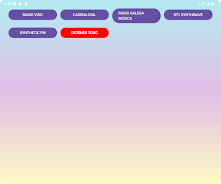


Radios is a straightforward internet radio player that puts live stations from around the world at your fingertips. Radios offers a clean interface for browsing by genre, country, or language, a quick search field for finding specific shows or DJs, and simple controls that keep playback running while other apps are active. This editor overview describes how Radios organizes stations, what controls and accessibility options are available, and what to expect from daily use.
The visual approach in Radios favors clarity and minimalism: station names, current track metadata and station logos are presented without clutter, making it easy to identify what’s playing at a glance. The layout adapts to different screen sizes so the main player controls remain large and reachable on both phones and tablets. Text and icon contrast are chosen for readable presentation and the app avoids dense menus so listeners can navigate quickly between categories, search results and their favorites.
Radios organizes available streams into broad categories and regional collections so discovery feels like a natural progression. Start by filtering a music genre, language or country, then refine results with the search field to find specific stations or programs. As you explore, you build a personalized lineup: adding stations to favorites and revisiting recent plays are the main progression mechanics. Over time the favorites list becomes a custom preset of stations you return to regularly, and the history view helps you retrace interesting finds.
Playback controls in Radios are designed for everyday use: a single tap starts a stream, pause and play are immediate, and the player displays station metadata so you know the current show or track title. Background playback continues while you use other apps, and basic controls are exposed on the lock screen and through standard media controls so hardware buttons and car interfaces behave as expected. The app also attempts automatic reconnects for interrupted streams and provides a sleep timer so you can fall asleep to radio without leaving playback running all night.
Favorites in Radios serve as lightweight personalization: you can add, rename and reorder saved stations to create one-tap access to frequently used channels. Saved entries retain station metadata and artwork so the app can show information even when a station is not actively streaming, but live audio streaming requires an internet connection. This approach keeps the app responsive and lets you build a repeatable listening routine without requiring complex setup.
Radios supports a wide range of common streaming formats and reads station metadata when available, which improves reliability and presentation. The player displays bitrate or stream status when provided by the station, and it gracefully handles temporary network issues by attempting reconnection. While Radios does not provide full offline playback of live broadcasts, it preserves favorite station entries and their metadata locally so you can browse your lineup and prepare streams even when connectivity is limited.
The app was built with general accessibility in mind: navigation flows are kept simple, contrast and touch targets are prioritized, and screens are organized to minimize steps required to play a station. Smaller libraries can be navigated quickly while larger station lists provide search and filtering to reduce time to first listen. Clear status messages indicate connection problems and the player shows when a stream is buffering or unavailable, helping users troubleshoot common issues without deep technical knowledge.
Radios requests only the permissions needed for network streaming and background audio playback. It does not require access to unrelated device data, and privacy-focused listeners can review permissions in system settings. If a stream fails to start, checking network connectivity and trying an alternate station are the usual remedies; the automatic reconnect feature attempts to restore playback when conditions improve. For persistent station-specific problems, verifying the station’s availability with the broadcaster can clarify whether the issue is on the network or the source side.
Overall, Radios aims to deliver a dependable, distraction-free way to explore live radio from many regions and genres. Its straightforward controls, favorites management and attention to presentation make it a practical option for daily listening and station discovery.