Signature Maker - PDF Signer
Version: 1.1.3
19.50MB
4.2
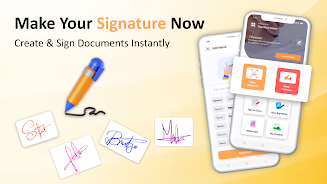
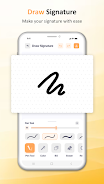




Signature Maker - PDF Signer helps you create and apply digital signatures to PDFs and images directly on your Android device. Use a stylus or finger to draw a signature, import an image, or type and choose a style. Save multiple signatures for reuse and export signed files in common formats.
Open a PDF or image, choose an existing signature or create a new one, place and adjust it, then preview and save. Controls are designed for quick editing and accurate placement without altering original file content until you confirm the save.
The app processes documents locally on your device unless you explicitly choose a cloud service to share a file. Signature Maker - PDF Signer is compatible with common PDF viewers and cloud storage apps; check in-app help for device-specific guidance or support contact options.