Quillo: Voice to Tasks
Version: 0.1.2
63.90MB
4.5


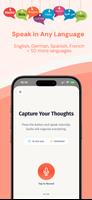

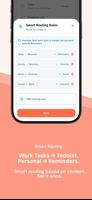


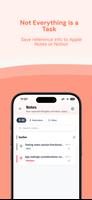
Quillo: Voice to Tasks helps you convert spoken notes into organized tasks and reminders so you can capture ideas hands-free. Quillo: Voice to Tasks recognizes short voice entries and creates task items you can review, edit, and search. Use Quillo: Voice to Tasks to record quick to-dos, set reminders, or tag items for later review.
Quick voice capture lets you tap the microphone and speak to create a task entry that appears in your list. You can edit titles, add due dates, set priorities, and apply tags to keep items organized. Schedule single or repeating reminders for tasks that need follow-up, and use search or filters to find items by keyword, tag, or date. Optional cloud sync is available when you sign in to enable backup across devices.
Open the app, tap the record button, and speak your task; Quillo: Voice to Tasks converts your speech into a task entry you can review and adjust. Tasks appear in a sortable list so you can prioritize, assign due dates, or mark items for later review. The process is designed to be fast and hands-free for quick capture of ideas and to-dos.
The app requests microphone access to capture voice input and notification permission for reminders. Tasks are stored locally by default and cloud sync is optional and requires explicit sign-in. Review the in-app settings to manage data, permissions, and backup preferences.