PaperColor
Version: 2.9.3
47.23MB
4
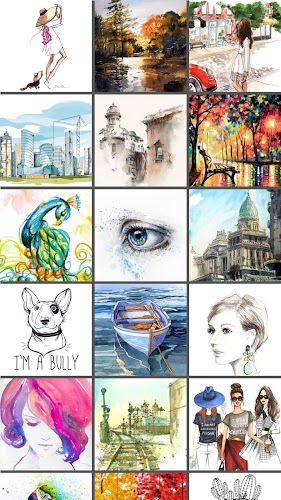
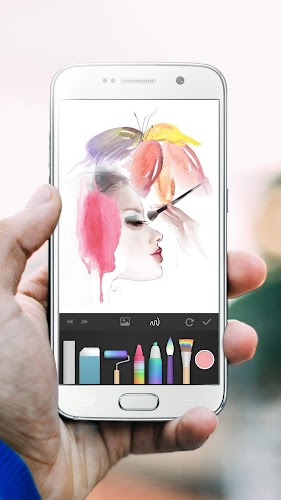
PaperColor is a lightweight painting app that mimics real brushes and makes sketching, doodling and graffiti straightforward on phones and tablets. Whether you want to practice drawing on a commute, pass time on a flight, or polish a quick idea at a party, PaperColor bundles a selection of paintbrush styles and a colour library into a compact canvas. It focuses on natural touch interactions—pinch-to-scale, translucent base-image tracing and pen-like handwriting—so casual creators and beginners can produce satisfying results without a steep learning curve. It’s a portable drawing surface for quick creativity.
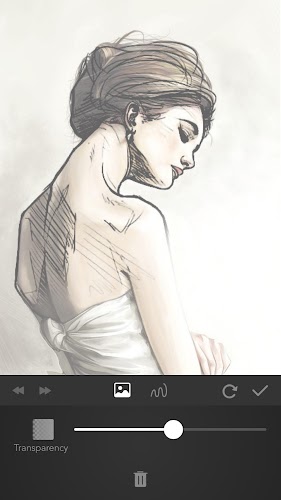
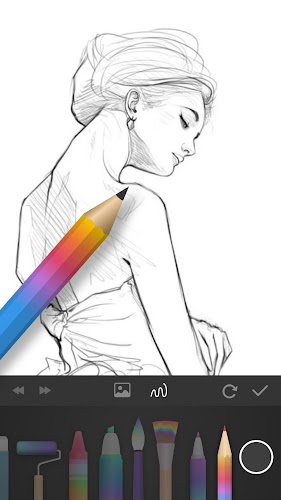
PaperColor provides a set of core drawing tools that mimic traditional materials: multiple paintbrush styles, rulers and erasers for tidy lines, and a built-in colour library to mix palettes. You can import a photo to draw on or mark up images directly, and use a base map feature to place a translucent reference underneath your strokes for tracing or study. The app also supports handwriting a signature with a pen tool once a piece is finished. Touch gestures enable intuitive scaling and positioning while you work.
Key features in PaperColor emphasize simplicity and immediacy: a variety of brush presets that emulate real brushes, an accessible colour library, and tools for marking up or drawing on pictures. The base map and translucency settings help learners follow references, and the ruler and eraser keep compositions crisp. A handwriting signature option lets you sign finished works, and pinch-to-scale responsiveness gives dexterity under your fingertip. These elements combine to help you create and export artwork quickly from a phone or tablet.
The user experience in PaperColor leans toward the straightforward: a minimal learning curve, responsive touch controls and fast access to common tools. The interface is designed around quick sessions—ideal for travel or short bursts of creativity—so you can sketch in a few minutes and share finished pieces. Tracing with a translucent base map makes practice feel structured, while the range of brushes and simple editing tools keep the process playful. PaperColor feels approachable whether you’re experimenting or finishing a small artwork.
If you want a compact, approachable drawing app that mimics familiar tools and supports tracing, photo markups and simple signature options, PaperColor is worth trying. It doesn’t overwhelm with complexity, instead offering a focused set of brushes and editing tools that make mobile sketching and casual illustration easy to pick up and enjoy.