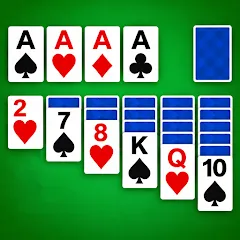
Solitaire - Classic
Version: 1.7.3
136.80MB
4.5
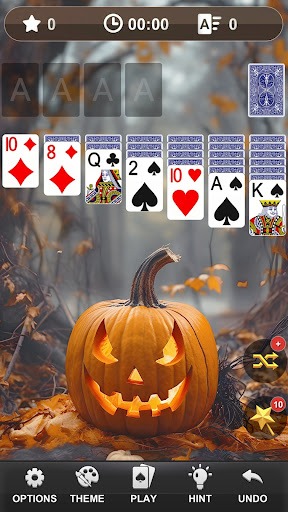
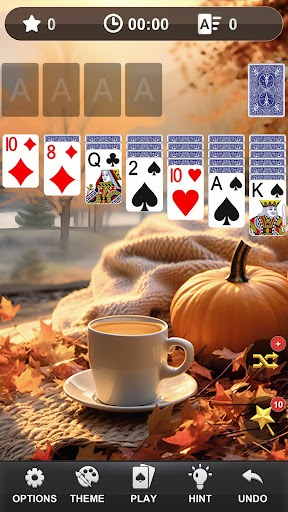
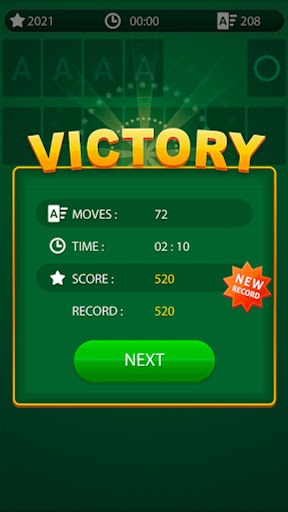
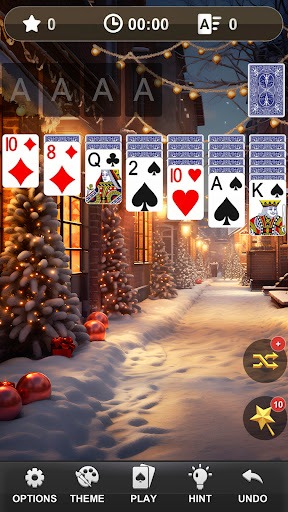

Solitaire - Classic delivers a faithful single-player card experience built around Klondike rules, clean visuals, and responsive controls. It’s ideal for quick sessions or extended play, offering intuitive drag-and-drop, scoring options, and hints that keep gameplay accessible for newcomers while still challenging seasoned players.
Solitaire - Classic recreates the familiar deck-and-table layout that millions expect from traditional solitaire. The app focuses on uncluttered presentation, predictable physics, and optional undo/hint mechanics so you can focus on strategy rather than fiddly controls. Whether you prefer timed runs or relaxed play, modes adapt to different moods and attention spans.
The game follows standard Klondike rules: move cards between tableau piles, reveal hidden cards, and build suits in ascending order on the foundations. Drag-and-drop and tap-to-move both work reliably, and the app supports one- or three-card draws. Scoring, streak counters, and statistics track progress, encouraging long-term improvement without forcing purchases or timers.
The interface favors readability: high-contrast cards, legible suit symbols, and consistent spacing reduce eye strain. Backgrounds and card backs are customizable to suit different tastes. Animations are smooth but unobtrusive, and the layout scales well across phones and tablets. Menus are minimal, helping players jump straight into a hand without deep configuration.
Advanced settings let you tailor the experience. Adjust auto-complete to finish solvable games, set timers for a competitive push, or disable auto-complete for a more manual endgame. Sound effects and subtle haptic feedback are optional. For players focused on efficiency, keyboard shortcuts and gesture preferences speed up common moves.
Gameplay feels deliberate: moves reward planning, and the hint system teaches without giving away every possibility. The pacing is forgiving enough for casual players but tight enough to reward strategic thinking. Because the app logs your history, you can analyze where you lose games and refine your decision-making over time.
Solitaire - Classic strikes a balance between nostalgia and subtle modern conveniences. Players appreciate that it honors the traditional card rules while adding thoughtful options like statistics tracking, adjustable difficulty, and a calm visual design. Regular updates and small quality-of-life improvements help the app remain fresh without changing the core gameplay.
The app is optimized to run on a wide range of Android devices, from older handsets to modern tablets. Memory use remains modest during normal sessions, and battery impact is low when sound and animations are disabled. Network permissions are minimal; online features are limited to optional cloud sync for saving preferences and cross-device stats.
Installation is straightforward: download, grant basic permissions if prompted, and select your preferred deck style and draw mode. The tutorial walks new players through basic moves and scoring. After a few hands you’ll be comfortable adjusting settings and pursuing streaks or personal best times.
For fans of timeless card puzzles, Solitaire - Classic provides a dependable and polished way to play. Its combination of clean design, flexible settings, and well-tuned mechanics makes it a smart choice for both short breaks and longer strategy sessions.