LovePhone
Version: 0.01
78.37MB
4.3
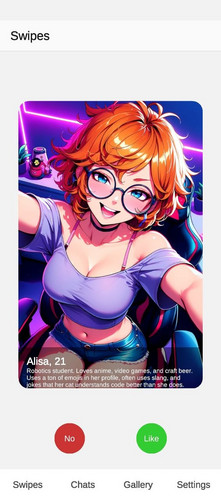
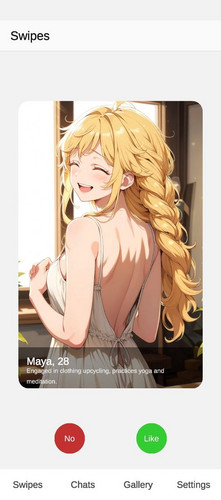
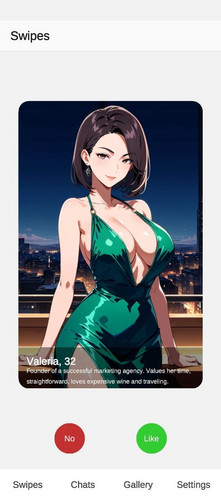
LovePhone brings a streamlined communication and social discovery experience to Android users, combining secure messaging, contact management, and smart recommendations. Designed for people who value clarity and privacy, LovePhone simplifies staying connected while offering useful tools to organize conversations, filter contacts, and personalize notifications for everyday use.
This review examines LovePhone from a practical standpoint. The app targets users who need a reliable hub for messages and contacts without clutter. It blends a minimalist interface with productivity-focused features, making it suitable for both casual social use and more intentional networking. Security options and light automation set LovePhone apart from default dialer and messaging apps.
At its heart, LovePhone consolidates communication channels into one place. Users can manage SMS, calls, and in-app chats, with conversation threads grouped intelligently by contact. The app supports quick contact actions and lets you pin or mute threads. Background sync keeps conversations current without excessive battery drain.
LovePhone follows a clean, modern design language with readable typography and a neutral color palette. The layout emphasizes the conversation list, with quick-action buttons for calls and replies. Animations remain subtle, and the app runs smoothly on mid-range devices. Memory use is modest, while optional cloud sync requires minimal additional resources.
Getting started is straightforward: import your existing contacts and messages during initial setup, then choose notification preferences. Conversations are indexed immediately, enabling quick search and efficient archiving. For added privacy, set a PIN or biometric lock. The app’s permissions are transparent, and each requested permission is explained during setup to avoid surprises.
LovePhone provides a set of personalization tools that let users tailor the experience. Choose between compact and relaxed list views, adjust font sizes, and toggle preview snippets on notifications. Theme options include light and dark modes, plus several accent colors. For power users, custom swipe gestures and message templates speed up common tasks.
Users report that workflows feel intuitive: finding a contact, sending a quick reply, or silencing a noisy group takes a few taps. The app places frequently used actions within thumb reach, improving accessibility. Occasional users may appreciate the guided tips on first launch, while advanced features remain unobtrusive for those who prefer a simple interface.
Many users pick LovePhone because it replaces multiple communication tools without sacrificing speed or privacy. It’s especially useful when you want an organized inbox, clear contact management, and fine-grained control over notifications. The balance between minimalist design and practical features helps the app fit into various daily routines.
To start, download the app from a trusted source, grant the necessary permissions, and follow the setup prompts. Importing data is optional but recommended for a seamless transition. Spend a few minutes customizing notification profiles and contact filters to make the app immediately more useful.
Whether you prioritize simplicity or customization, LovePhone offers a sensible middle ground. Its efficient feature set and attention to privacy make it a solid choice for users who want more control over their mobile conversations without a steep learning curve.