
KidyView Parents App
Version: 1.1.8
35.00MB
4.1
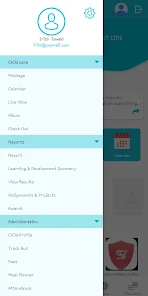


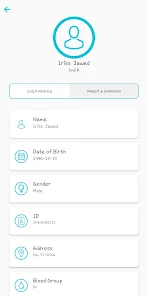

KidyView Parents App helps caregivers monitor and manage children's screen time, view activity reports, and set digital boundaries across devices. Designed for busy families, it offers real-time alerts, intuitive dashboards, and scheduling controls that make supervising apps and media straightforward while preserving privacy and family routines.
KidyView Parents App positions itself as a practical monitoring tool rather than intrusive surveillance. It centralizes key family-device information: app usage, browsing summaries, and time spent per device. The goal is to provide actionable insights so parents can guide digital habits without constant checking or complicated setups.
Installation focuses on two main steps: parent device setup and child device pairing. Pairing can be done via QR code, a short code, or account sign-in, depending on the platform. Once connected, KidyView Parents App scans for installed apps and device activity, then starts collecting usage metrics. Data syncs securely to the parent dashboard so changes made on one device take effect almost immediately on others.
Permissions are limited to what’s needed to monitor usage and enforce rules. The app explains required access at each step and offers toggles for specific features. Local data encryption and optional cloud sync are included to protect sensitive information while keeping parental access convenient.
Customization is a highlight. KidyView Parents App lets parents create profiles with distinct rules per child, set bedtime and homework modes, and whitelist essential apps. Rules can be temporarily paused for special occasions and scheduled to repeat on specific days. The combination of automated schedules and one-off overrides gives families flexibility without losing control.
The interface prioritizes clarity. Dashboards use color-coded timelines and collapsible panels to prevent information overload. Loading times are short and background sync is efficient, which helps when juggling several family devices. Notifications are grouped and can be filtered so parents only see high-priority alerts.
Small touches like summary emails, weekly snapshots, and exportable CSV reports make the app suitable for households that value measurable progress. The navigation is intuitive for non-technical users, and contextual help appears where settings might be confusing.
For families that prefer collaborative rulemaking, KidyView Parents App supports multiple caregivers on a single account. This helps maintain consistency when schedules or expectations change.
Parents often cite KidyView Parents App for its balance between control and trust. The feature set scales with family needs, from basic scheduling to detailed analytics, without becoming a heavy administrative burden. The app’s focus on clear visuals and gradual onboarding helps households adopt digital boundaries that last.