Diamond Painting
Version: 0.4.1.0
175.00MB
4.1
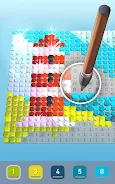
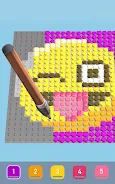
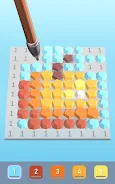
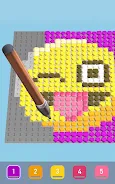
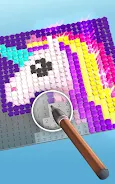
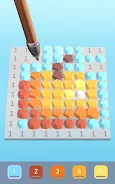
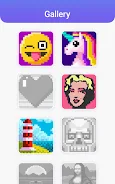
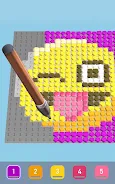
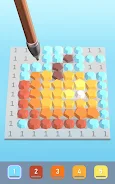
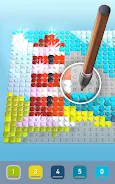
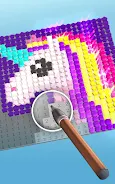
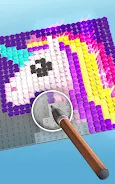
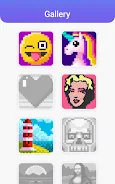
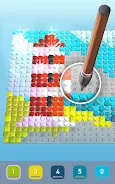
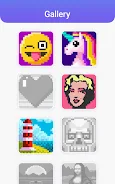
Diamond Painting transforms the traditional craft of placing tiny gems into a streamlined mobile experience, letting users design, edit, and complete mosaic art on their device. It blends guided placement with freeform creativity, suited for quick sessions or long projects, and supports a range of tools for precise results.
Diamond Painting acts as a digital studio for anyone who enjoys mosaic art. The app guides users through canvas selection, color mapping and gem placement while keeping each step intuitive. Whether you want a calm, meditative activity or a focused project that produces a polished image, this app provides the workflow to finish pieces at your own pace.
The app breaks projects into manageable segments. Start by selecting a template or uploading an image. An automated converter generates a grid and assigns colors based on pixel tones. From there, users follow a numbered or symbol-guided sequence, or switch to freeform to place gems by eye. Progress autosaves frequently to protect work in case of interruptions.
Diamond Painting provides several productivity-focused features that reduce friction and improve accuracy. The smart selector highlights all cells of a chosen color, enabling batch placement and faster completion of large areas. A magnet tool snaps gems into the nearest open cell, while a brush mode lets you drag to fill contiguous sections. For detailed areas, fine-grain placement with single-tap precision is available.
The interface emphasizes clarity: clean icons, readable legends and adjustable canvas settings. Background rendering keeps frame rates steady on mid-range devices, and asset compression minimizes storage use without sacrificing visual fidelity. The app scales well across phone and tablet screens and includes power-saving modes to extend battery life during long sessions.
The workflow supports both short bursts and marathon sessions. Tutorials walk new users through the basics and advanced tooltips appear contextually for less common features. A history panel lists completed steps and checkpoints, so you can jump back to an earlier stage or export snapshots to review progress.
Personalization is a standout aspect. You can change gem shapes and sizes, adjust the grid density and reorder the palette to match your preferred workflow. For creative users, importing an image and tweaking the converter’s sensitivity produces distinct looks, from soft impressionistic mosaics to crisp, high-contrast pieces.
Many players appreciate Diamond Painting for its balance of relaxation and accomplishment. The app reduces setup and cleanup compared to physical kits, while offering precise control and repeatable results. Regular updates add new templates, seasonal content and community challenges that keep the experience fresh.
Installation is straightforward: download, grant the minimal permissions required for storage and import, then follow the guided tutorial. A free tier provides core functionality, while optional in-app purchases unlock premium canvases and advanced export tools. Support resources include a searchable help center and a community forum for sharing tips and finished pieces.
For hobbyists and newcomers alike, Diamond Painting delivers a thoughtful mix of utility and creative freedom, making digital mosaic artwork accessible without a steep learning curve.