ePSXe for Android
Version: 2.0.17
7.60MB
4.2
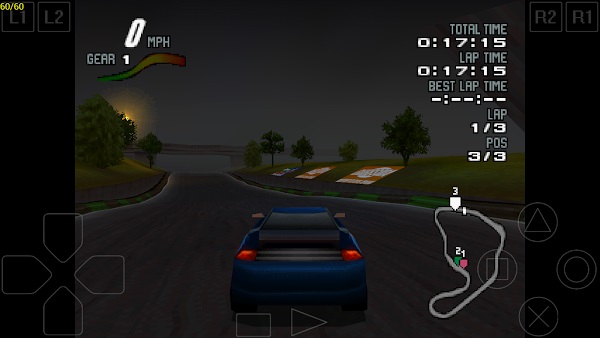
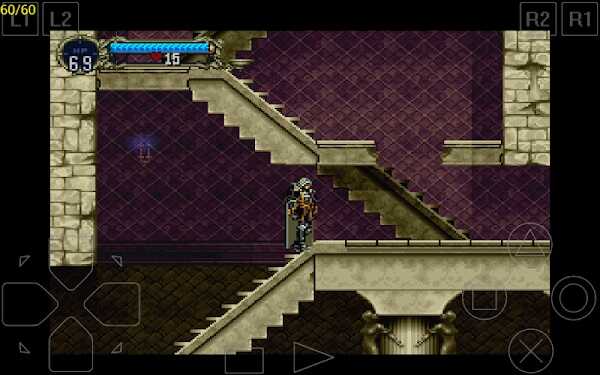


ePSXe for Android is a compact, powerful PlayStation emulator that brings classic PS1 titles to modern phones and tablets. It provides high compatibility, customizable controls, and enhanced visuals so players can enjoy retro games with improved performance and polish on mobile devices.
Designed for users who want authentic PlayStation gameplay on Android hardware, ePSXe for Android runs original game images (ISO, BIN, IMG) and supports memory cards, save states, and split-screen multiplayer. It recreates the PS1 environment while adding features not available on the original console.
ePSXe for Android relies on plugins to emulate graphics, sound, and input subsystems. Users select the appropriate plugin for their device and games; many profiles work out-of-the-box, while advanced options allow fine-grained tuning. The app translates controller inputs and produces frame output that closely matches original PlayStation timing.
The interface focuses on practicality: a simple game selector, quick access to BIOS and plugin settings, and on-screen controls that are easy to customize. Menus are lightweight, and the core workflow—adding a ROM, configuring controls, and launching a game—has minimal friction for both novice and experienced users.
One of the strengths of ePSXe for Android is the depth of customization. Players can remap every button and create multiple controller layouts for different genres. Touchscreen layouts can be resized and repositioned, while external gamepads receive automatic mappings for common models. Save-state hotkeys and rewind buffers are configurable to suit play styles.
Devices vary widely in horsepower, and ePSXe for Android includes settings to balance fidelity and framerate. Options such as frame skipping, threaded rendering, and cheats are available. If a title experiences slowdowns, reducing internal resolution or switching to a simpler graphics plugin can restore smooth gameplay without affecting compatibility.
Getting started requires a valid PS1 BIOS and game images; the emulator does not include copyrighted content. Beginners should begin with a few well-known titles to test settings and build profiles. Experimenting with controller layouts and save states will make later sessions smoother and more enjoyable.
ePSXe for Android balances accuracy with convenience. It preserves the original feel of PlayStation games while improving usability on mobile platforms. The combination of plugin architecture, robust controller options, and reliable save systems makes it a go-to solution for retro gaming enthusiasts.
Install the APK from a trusted source, grant the necessary storage and input permissions, and place game images in an accessible folder. Load the BIOS once in settings, then point the emulator to your ROM directory. Creating a backup of memory cards early prevents accidental data loss.
The app's active community provides configuration tips and controller profiles for many popular titles, so exploring forums and guides can speed up setup. With a little initial configuration, ePSXe for Android delivers consistent, nostalgic gameplay on modern hardware while offering tools to tailor the experience to each player’s preferences.