Classic Words Solo
Version: 2.8.13
29.36MB
4.2
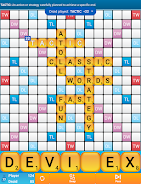






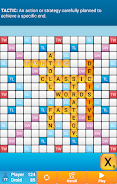
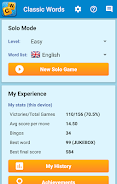
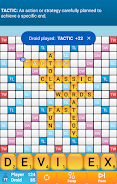

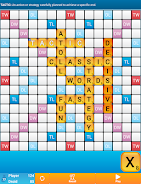
Classic Words Solo is a single-player word puzzle that recreates the familiar tile-and-board challenge for one person, focusing on vocabulary, strategy, and relaxed play. Players place letter tiles on a grid to build words, earn points from premium squares, and improve their skills through repeated sessions and customizable difficulty settings.
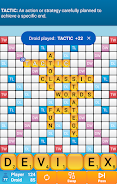
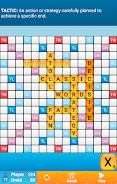
At the heart of Classic Words Solo is a simple turn-based system where you draw tiles, form words, and position them to maximize scoring. The board includes double and triple letter/word squares, encouraging players to think several moves ahead. Unlike multiplayer variants, this title removes time pressure and opponent interaction so you can concentrate on pure wordcraft and planning.
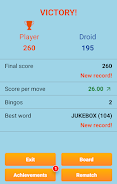
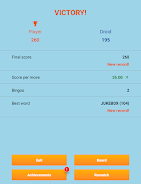
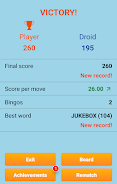
The game tracks your games and performance, offering a sense of progression through score records and achievement milestones. As you play more rounds, you’ll naturally encounter tougher challenges as you aim to beat your personal bests. Thoughtful scoring records let you identify areas for improvement, such as leveraging premium squares more effectively or focusing on longer words for higher base points.
Classic Words Solo uses a clean, readable layout designed for long play sessions. Tiles are easy to read at a glance, and the board highlights premium squares subtly so they don’t distract from gameplay. The graphic style emphasizes clarity over flashy effects, making it suitable for devices of varying performance levels while keeping the focus on strategy.
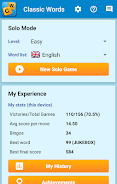
Players can often adjust settings like board size, dictionary strictness, or tile distributions to suit their preferences. These options let you tailor the challenge: switch to a smaller dictionary for casual play, or enable stricter word lists for a competitive, study-focused experience. Customizable settings keep the game fresh and adaptable to different skill levels.
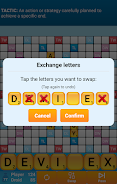
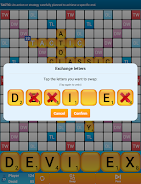
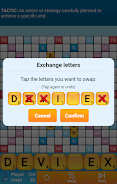
The controls are intuitive: tap to select tiles and drag them onto the board, with convenient helpers like shuffle, hint, and undo. The interface places useful information—score totals, remaining tiles, and move history—within easy reach, so you can concentrate on finding high-value words rather than hunting menus.
Classic Words Solo doubles as a vocabulary trainer. Optional hints and word reveal functions make it a good choice for language learners who want to discover new word patterns. Replay value is high because every shuffled rack creates a different challenge, and the single-player format encourages experimentation with vocabulary and tactics.
The app is optimized to run smoothly across a wide range of devices. Minimal animations and efficient use of graphics help maintain responsiveness on older phones while still looking crisp on modern displays. Battery and resource usage are kept low so extended study or casual play won’t drain your device quickly.
This version of the classic tile board focuses on a meditative and skill-building solo experience. It removes competitive pressure, provides clear scoring feedback, and supports gradual improvement through practice. Fans of word puzzles who prefer thoughtful play and steady progress will find it especially rewarding.
To begin, set your preferred difficulty and dictionary rules, then start a new game to familiarize yourself with the controls. Use the hint feature sparingly at first to boost learning, and review your score breakdown after each round to identify strategies that work best. With regular play, your pattern recognition and board strategy will grow noticeably stronger.