Gacha Studio
Version: 2.1.2
61.60MB
4
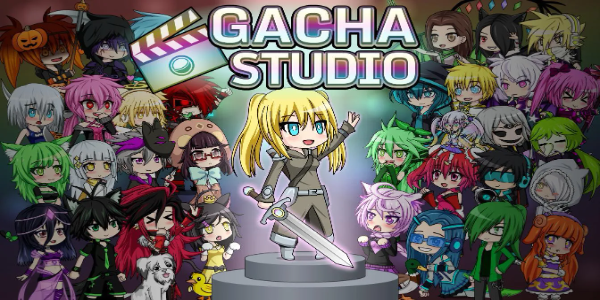

Gacha Studio is a creative character editor and casual scene-maker that lets you design unique avatars, dress them in custom outfits, arrange backgrounds and props, and play lighthearted mini-games for rewards and progression, with an accessible interface suitable for younger players and hobbyists.
Gacha Studio combines character creation, costume design, and simple gameplay loops into a single package. Players can build individualized characters using a large library of hair styles, facial features, clothing items and accessories. Each element is adjustable so users can fine-tune expressions, colors, and poses to match their vision.
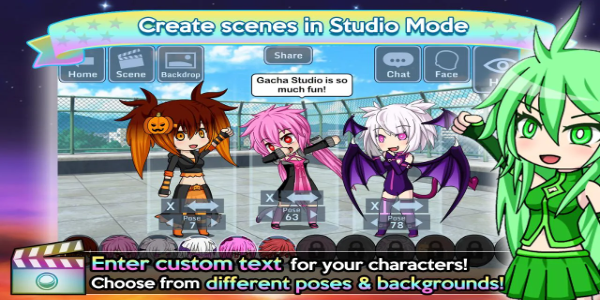
At the core of the experience is a flexible customization system. Layers and item slots make it easy to mix outfits and swap accessories quickly. The app includes preset templates for faster design, as well as manual controls for users who want precision. Backgrounds, stickers and props help build scenes for screenshots or short storytelling sequences.
Beyond dressing up characters, Gacha Studio integrates casual mini-games that reward cosmetic items and currency. These short activities are designed to be approachable, offering daily challenges and occasional timed events to keep engagement steady. Rewards can unlock rare accessories or expand wardrobe options, supporting a steady sense of progression.
The scene editor encourages playful storytelling. Characters can be posed together, given dialogues, and arranged within dynamic backgrounds. This feature appeals to users who enjoy creating short skits, comic-style panels, or social media-ready images. Simple animation cues and face expressions add personality without requiring advanced editing skills.
Progress in the game is tied to collecting outfits, accessories and themed sets. Players unlock new content through achievements, mini-games and in-app events. The collection-focused loop motivates continued play by offering visual and cosmetic rewards rather than performance-based advantages, keeping the experience light and creativity-driven.
Gacha Studio uses bright, stylized 2D art that is optimized for a wide range of Android devices. The interface prioritizes touch-friendly controls and quick load times. While some effect-heavy scenes may tax older hardware, most phones and tablets handle the app smoothly with responsive menus and a clear layout.
The control scheme is intuitive: tap to select, drag to position, and pinch to resize where applicable. Menus are categorized by item type and color, and searching for specific pieces is straightforward. Tooltips and guided tutorials ease onboarding for new users, helping them learn the editor without frustration.
Gacha Studio supports sharing creations through exported images, encouraging creativity and community interaction. Players often use the app to craft characters for storytelling or to illustrate fan projects. Local saving and easy export make it simple to publish content to social networks or messaging platforms.
Players appreciate Gacha Studio for its balance of simplicity and depth. The app gives enough creative control to produce unique looks while keeping interactions accessible and fun. Its gentle progression model and focus on cosmetics make it appealing for casual play sessions and creative projects alike.
Install the app, explore the tutorial, and start with a baseline character. Spend a few minutes experimenting with outfits and backgrounds to discover the toolset. Regular updates often add new items and seasonal content, so checking the app periodically will reveal fresh options to expand your collection.