Holo Instructor
Version: 0.1
70.99MB
4.4
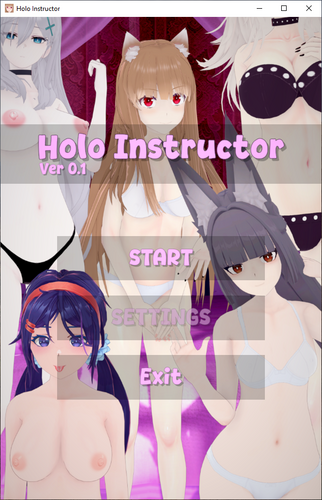
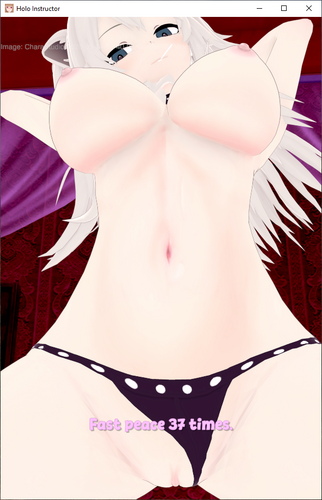
Holo Instructor is a compact interactive app that places a small cast of virtual characters at the center of short, choice-driven single-player sessions; Holo Instructor emphasizes smooth animations and a clear, easy-to-navigate presentation so users can jump into a session quickly and focus on character-led interactions rather than complex mechanics. The current release is designed for casual play and iterative improvement, with the developer soliciting feedback to refine performance and expand content over time.
The core gameplay consists of short, branching scenes where each selection shapes the flow of that session. Rather than long levels or complex systems, interactions are presented as a sequence of decisions that guide the character-led narrative. Sessions are intentionally concise—typically a few minutes each—so players can complete a scene during a short break. Choices are immediate and consequential within that session, giving simple but meaningful variation to each playthrough.
Holo Instructor was built with straightforward touch controls in mind for Android devices: tap to make selections, swipe to progress through dialog or animated beats, and use on-screen buttons for menu navigation. On Windows builds the same interface maps naturally to mouse clicks and basic keyboard input. The control scheme is intentionally minimal to reduce friction and make sessions accessible for players who prefer quick, casual interactions.
The initial release focuses on standalone scenes rather than an elaborate progression system. Future updates are planned to introduce light progression elements such as additional character options and unlockable scenes that reward replaying different branches. Customization today includes selecting which virtual character leads a session and adjusting basic presentation settings; planned refinements will add more ways to tailor session pacing and visuals without introducing paywalled complexity.
One of the app’s defining features is its emphasis on animation over static imagery. Animations are used to provide smoother transitions and a more lively presentation of each scene. Visual design favors clear character-focused layouts, readable on-screen text, and adjustable animation quality settings so players can prioritize performance or visual fidelity depending on their device. The developer aims to keep the art style consistent across characters while improving fluidity and polish through updates.
Sessions are structured as short episodes with branching outcomes, encouraging multiple playthroughs to explore alternate paths and character responses. Because each scene is brief and self-contained, replaying to see different branches is easy and rewarding. The minimal learning curve and quick session lengths make it simple to experience numerous variations in a short time, which increases replay value despite the compact scope of the initial roster.
Holo Instructor is designed for clarity and ease of use. The interface keeps menus and controls unobtrusive, and settings let players adjust text size, sound levels, and animation speed. Subtitles and clear on-screen prompts are included for accessibility, and the app avoids convoluted menus so new players can start a session immediately. The single-player, offline-friendly design means you can play without an internet connection once the app is installed.
The app is optimized for short, local sessions and does not require constant connectivity. Animation quality settings allow users to balance performance and visuals across a range of devices. The developer has noted that platform-specific issues can occur on certain hardware; when reporting bugs, please include a brief description, the exact top-left on-screen text if visible, and whether you are running Android or Windows so the team can reproduce and fix problems.
Holo Instructor is developed by indie creator Derak21 Games, who is managing the project directly and communicating with users about bug reports and planned features. Version 1.0 concentrates on a compact, stable experience and animation-focused presentation. Planned updates aim to expand the character roster, refine animations, and add light progression and customization options while keeping the app approachable for casual sessions.
If you prefer short, character-centered interactive sessions with a simple control scheme and emphasis on animation, Holo Instructor offers a focused, evolving experience. Feedback from early users is actively used to guide improvements, and future releases will broaden content and polish the presentation while preserving the fast-start, single-player design that defines the current release.