GOGO LIVE Streaming Video Chat
Version: 3.8.3
97.00MB
4.3


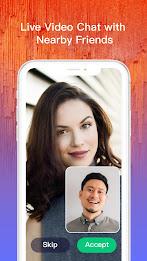


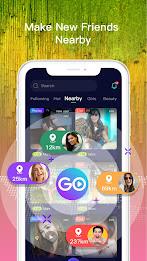

GOGO LIVE Streaming Video Chat is a mobile platform that brings broadcasters and viewers together through live video, interactive chat, and real-time virtual gifting. This editor's introduction outlines how GOGO LIVE Streaming Video Chat organizes discovery, broadcasting controls, moderation and creator support so you can quickly understand the app’s practical value without marketing fluff. The app focuses on simple setup, social discovery, and tools that help hosts build audiences while viewers find and follow creators they like.
At its core, the app makes it easy to start or join live streams and to follow creators across topics and communities. Hosts can begin a broadcast with a tap, invite one or more guests into a co-host session, and interact with viewers via public chat or private messages. For viewers, the platform provides curated feeds, topic-based rooms and trending tags, plus options to favorite channels and receive timely notifications for scheduled shows.
The broadcasting workflow blends straightforward controls with a few advanced settings. Camera and microphone toggles are accessible during setup and on-screen while streaming, and bitrate and resolution options let hosts balance video quality with network conditions. Co-host sessions support switching speaker views and moderating guest audio, while in-stream interactive mechanics like polls, countdown timers and donation goals invite audience participation without interrupting the main broadcast.
Gifts and virtual items convert into in-app credits for creators, creating a direct path to monetize streams. The app highlights incentives such as event rewards and temporary promotions that encourage audience support. As creators grow, they can track follower increases, event attendance and earned credits through in-app summaries that help plan future broadcasts and promotional tactics; these familiar progression indicators support steady growth without introducing opaque ranking systems.
Discovery tools combine algorithmic recommendations with category filters so users can find streams that match interests. Personalized feeds surface channels based on viewing history and followed creators, while thumbnail previews, viewer counts and brief stream descriptions make it quicker to decide which live shows to join. Built-in visual tools such as filters, overlays, stickers and adjustable aspect modes let hosts refine the look of their streams and maintain a consistent visual style across sessions.
The interface prioritizes clarity: a home feed of live thumbnails, quick-action follow and join buttons, and a compact broadcast composer with camera controls and stream metadata. Notifications and scheduled-stream reminders are customizable so users only receive alerts that matter. Simple onboarding guides help new hosts test camera and audio settings, select appropriate titles and understand basic monetization steps before going live.
Community safety is treated as an operational feature with chat filters, user reporting, temporary bans and block lists available to both creators and moderators. Streamers can appoint moderators during broadcasts to manage comments and remove disruptive participants, and privacy controls let users restrict who can message them, join private rooms or view specific sessions. These moderation tools aim to keep interactions productive and to reduce abusive behavior without heavy-handed censorship.
GOGO LIVE Streaming Video Chat is optimized for a broad range of modern Android devices and adapts to changing network conditions through adaptive streaming that reduces buffering on weaker connections and increases quality on stronger networks. Background streaming and battery-saving modes help hosts maintain longer sessions. Accessibility features such as caption options for certain broadcasts, clear contrast in UI elements and simple control layouts make the app usable for a wider audience.
Creators can save highlights and assemble playlists from past broadcasts so viewers can rewatch key moments or catch up offline where clip downloads are permitted. Saved clips and curated playlists extend the life of live content, increase replay value and provide material creators can reshare on social channels to attract new followers. These features help maintain engagement between live events and give viewers more ways to enjoy favorite creators’ work.
Scheduled events, contests and collaborative co-streams help broadcasters grow audiences and encourage recurring viewership. Tools for planning—such as event timers, promotional links and follower reminders—make it easier to build regular programming. Moderation tools, clear analytics and creative overlays support consistent production quality for hosts who want to scale from casual sessions to regular shows.
New users can register with an email or social login, set a display name and begin browsing recommended streams in minutes. Aspiring hosts should test camera angles and audio levels, write concise stream titles and use onboarding tips to learn about gifts, credits and basic moderation. With a short learning curve and practical features for discovery, community management and content preservation, GOGO LIVE Streaming Video Chat provides the tools creators and viewers need to engage with live video in a safe, manageable way.