DAFFH LITE Navigator
Version: 4.0
8.62MB
4.4
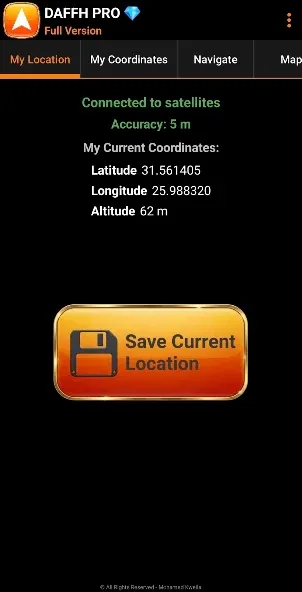
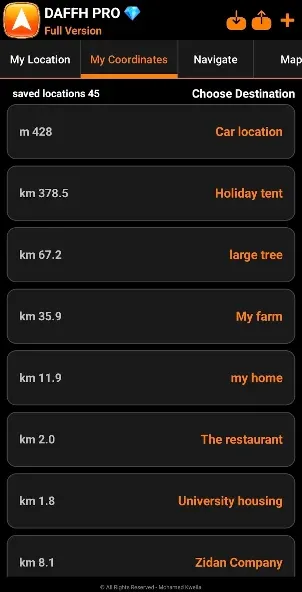
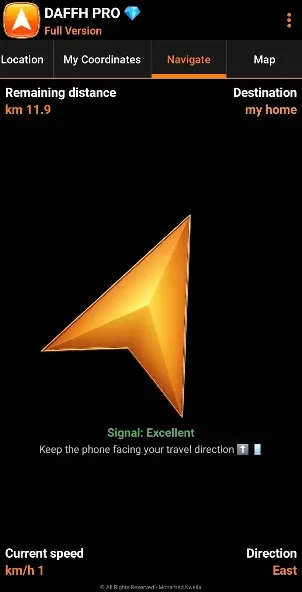
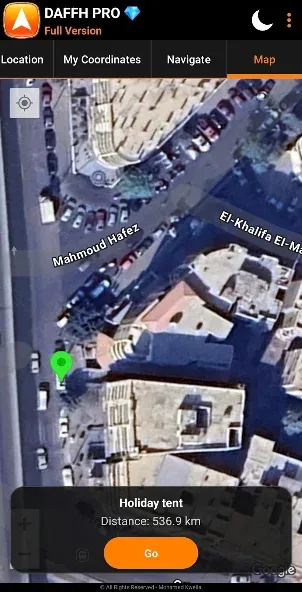
Point - follow - arrive: DAFFH LITE Navigator brings a clear arrow-driven navigation experience to Android and keeps guiding you when cell coverage fades. This compact app focuses on core wayfinding: enter a destination, watch a real-time directional arrow, and save places you want to return to later. Designed to run on both newer phones and older models, DAFFH LITE Navigator offers offline operation, multiple measurement systems, basic spoken directions and a simple map view so you can navigate with confidence whether you are hiking a trail or exploring an unfamiliar town.
Install and allow permissions: After installation, grant location and storage permissions so the app can record coordinates and show your position on the map.
Set your current location: Tap the marker or use the save button to record where you are now; that saved point becomes an easy return destination later.
Enter a destination: Type a place name or select a saved point and DAFFH LITE Navigator will draw a directional arrow and show distance and heading.
Switch display modes: Toggle between satellite imagery and the darker night mode for better readability after sunset.
Offline arrow navigation: The core display is a live arrow that points to your chosen destination, so you can navigate without constant map downloads.
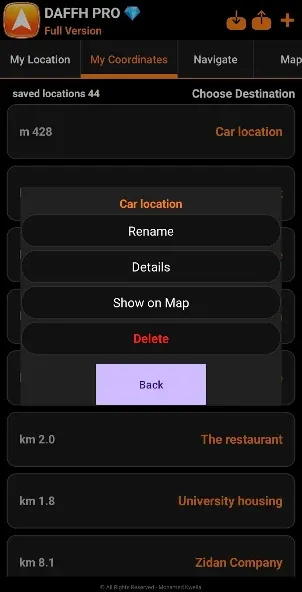
Save and manage locations: Store tents, cars, campsites or meeting points and view them on the map for quick routing back.
Speed, heading and ETA: While en route the app shows your current speed, heading and the remaining distance plus an estimated time of arrival.
Coordinate formats and manual entry: Choose between DD, DDM, DMS and UTM formats, copy coordinates in several formats and, once unlocked, enter coordinates manually to navigate to specific points.
Map and audio options: Switch between satellite view and night mode, receive spoken directions and hear audio alerts as you approach your target.
Language support: Interface translations include English, Arabic, French and German for broader accessibility.
Long-press to save: Save any visible spot on the map quickly by long-pressing, which is useful for marking a meeting place at an event.
Choose units by activity: Swap between metric and imperial depending on whether you're hiking with a trail guide or driving between towns.
Use the saved-start feature: Mark your current position before you push off so you always have a reliable home point to return to.
Copy coordinates for sharing: When coordinating a meetup off-grid, copy the preferred coordinate format and paste it into messages or notes for others.
Does the app work without internet?
Yes, the navigation arrow and saved coordinates function offline; full satellite tiles may require prior caching or occasional connectivity depending on map sources.
Can I navigate using raw coordinates?
The app supports manual coordinate entry after activating the full version and lets you pick formats like DD, DDM and DMS for precision targeting.
Are there voice prompts and alerts?
DAFFH LITE Navigator provides spoken directions and audio alerts when you're near or arrive at a saved destination to keep your attention on the path.
Which devices will run the app?
It has been updated to run on a wide range of Android devices, from recent handsets to older models, but performance can vary with device age and OS level.
DAFFH LITE Navigator is a practical choice for travelers, campers and anyone who needs a straightforward offline wayfinding tool; its strength lies in simple arrow navigation, flexible coordinate handling and compact maps. Keep in mind that advanced map tile caching and some coordinate entry features require the in-app upgrade, and user experience may vary with device and app version.