
MCQ Rewards
Version: 2026.4.5
24.03MB
4
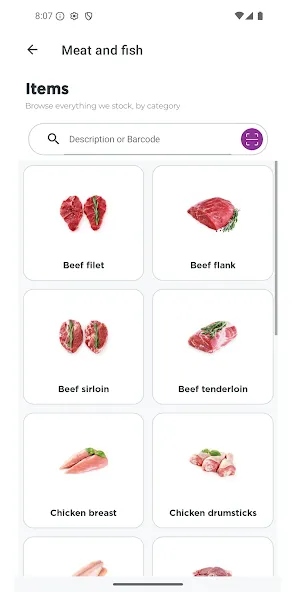
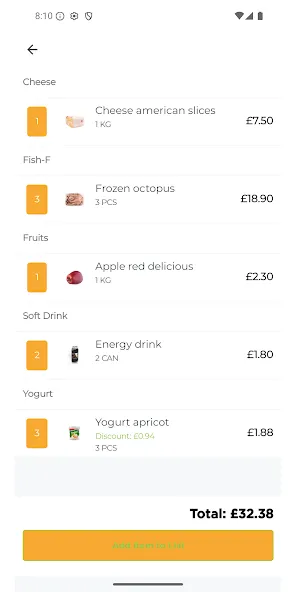
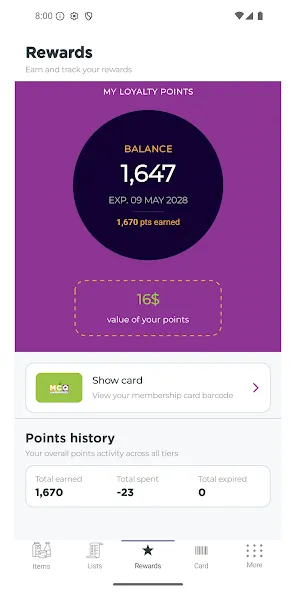
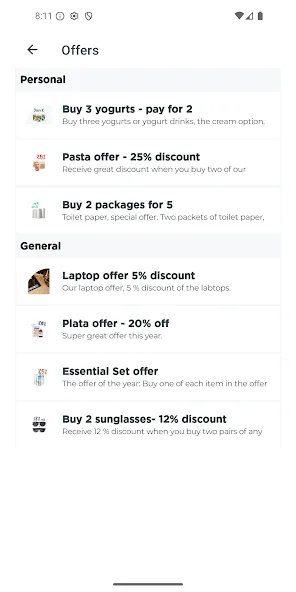
MCQ Rewards puts your supermarket membership, points and purchase records in one tidy app so you can skip plastic cards and keep track of savings on the go. The MCQ Rewards app stores a scannable digital membership card, links receipts to your points balance and highlights member deals, making everyday grocery shopping simpler and more transparent for frequent shoppers and families.
Type: Mobile loyalty and customer rewards application aimed at regular supermarket customers who prefer digital records to paper. Use cases: weekly shops, holiday bulk buys and occasional top-ups where collecting points and using personalised promotions makes a practical difference. Audience: shoppers who value easy receipt access, straightforward points tracking and quick store information when planning trips.
Digital member card: Present the app’s barcode at the till instead of carrying a plastic card; open the card tab and tap to display the scanner-friendly barcode. Points tracking: The app shows a running balance and a simple progress indicator so you can see how close you are to the next reward milestone. Personalised offers: Member-only deals and targeted promotions are grouped in one place so relevant savings are easier to spot. Purchase history: Receipts and past transactions are saved for reference, expense checks or returns. Store finder: Locate nearby MCQ supermarket locations, check opening hours and view basic contact information to plan your visit efficiently. Support for failed scans: If a card fails to scan you can save or photograph your receipt and follow the in-app help instructions or contact support with a receipt image to request points retroactively.
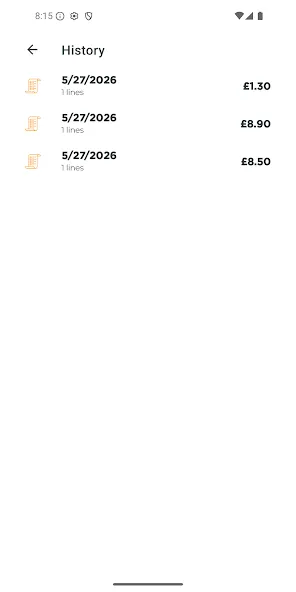
Navigation is designed to be direct: a bottom or top tab typically separates your card, points, offers and purchase history. To collect points, open the card tab and show the barcode at checkout; if the scanner doesn’t read it, save a photo of the receipt in the app or use the provided support link to claim points later. Tapping an offer shows the qualifying items and any activation steps — some boosts need a one-tap activation before you shop. The purchase history view lets you open individual receipts, see itemised totals and search by date or store name to find past purchases quickly.
Points accrue automatically when you present your digital membership at checkout and when qualifying promotions are active. The app tracks thresholds that convert points into rewards credit, and visual progress indicators show how far you are from the next milestone. Occasional temporary ‘boost’ events increase point earnings on selected products for a limited time, creating short-term opportunities to accelerate progression without changing your normal shopping routine.
MCQ Rewards organizes offers based on your shopping patterns so the promotional view becomes more relevant the more you use it. You can mark a preferred store for quick access to opening times, and adjust notification preferences to receive alerts about expiring offers, new boosts or reward milestones. Simple sorting and filtering in the purchase history helps you spot frequently bought items and recurring deals when planning future shops.
The interface favours clear typography and straightforward controls so tasks like scanning the card, checking offers or reviewing receipts take only a few taps. The app is structured to work well with common accessibility settings: larger system fonts, contrast adjustments and basic screen readers where supported by your device. While many features rely on a data connection to update personalised offers and nearby store details, the app typically retains essential account information and recent receipts locally so you can present your digital card at checkout even when your connection is intermittent.
Regular shoppers find value in returning to the app because weekly offers, rotating boosts and seasonal promotions create recurring opportunities to earn extra points. The combination of ongoing points accumulation and limited-time boosts encourages habitual checking of the offers tab and planning purchases around promotions, which sustains the app’s usefulness over time without requiring complex gameplay mechanics.
Scan every time: always open the card tab and show the barcode so the till can register your membership. Activate boosts before shopping: some promotions require activation and won’t apply retroactively. Use purchase history to plan: review past shops to identify staples and recurring discounts. If scanning fails, photograph the receipt and follow the in-app support steps or email the address provided with a receipt image and your member number to request adjustments.
How are points earned? Present the digital member card at checkout and activate qualifying boosts for extra points. When can I redeem rewards credit? Rewards credit is applied once you reach the program’s threshold and can be used at checkout as indicated in the app. Can family members share one account? The app is designed around individual membership accounts, but you can sign in on multiple devices if a household needs shared access. What if my card won’t scan? Keep your receipt and use the support option in the app to submit a photo and request missing points.
MCQ Rewards is a practical tool for shoppers who prefer a tidy digital workflow: collect points, spot and activate offers and keep receipts in a searchable history. Try MCQ Rewards if you want a clearer way to manage supermarket benefits and keep small savings working for you every trip to the store.