
Guru Maps Pro
Version: 5.5.7
238.50MB
4
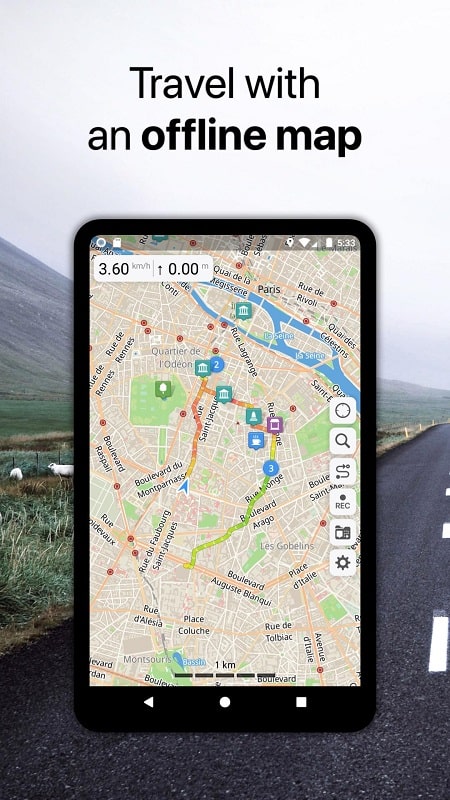
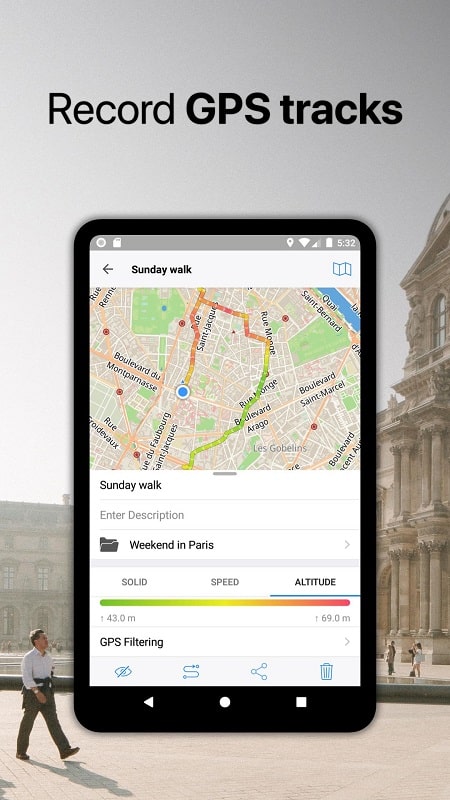
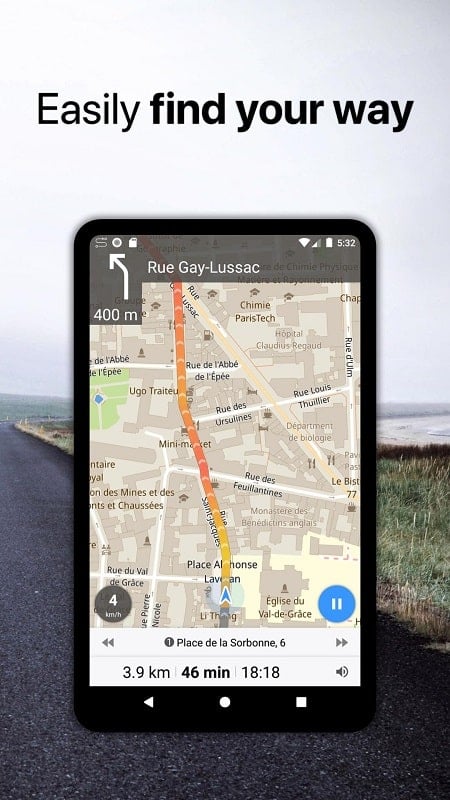
Guru Maps Pro is a powerful offline mapping and navigation app designed for travelers, outdoor enthusiasts, and professionals who need reliable maps without constant internet access. It combines offline vector tiles, turn-by-turn routing, and rich POI data to deliver fast, battery-friendly navigation across locations worldwide.
Guru Maps Pro provides a compact set of tools focused on practical navigation and map customization. The app includes downloadable maps for offline use, precise GPS track recording, multi-mode routing (car, bike, foot), and search across offline points of interest. A clean interface emphasizes map content and keeps controls accessible for quick actions in the field.
One of the main strengths of Guru Maps Pro is its offline capability. You can download entire regions as vector maps, which remain lightweight on storage but retain zoomable detail. Offline routing supports multiple profiles so you can plan a cycling route in remote areas or find walking shortcuts in urban centers. GPS positioning works independently of data connections, giving dependable directions during hikes or when abroad without roaming.
The app offers flexible layer management so you can tailor the map to your needs. Toggle between map styles, add or remove POI categories, and overlay GPX tracks or custom waypoints. Users can import GPX/KML files to visualize planned routes or export recorded tracks for use in other tools. Map styling and layer visibility can be adjusted to reduce clutter and prioritize the information most important to your activity.
Guru Maps Pro keeps the interface straightforward: search and navigation controls are prominent while advanced options are tucked into menus. The search function works offline for downloaded areas, quickly locating addresses and POIs. Map interaction supports gestures for smooth zooming and panning, and favorites allow saving frequently used locations. For professionals, batch import and export features streamline preparation of multiple waypoints or survey locations.
Vector-based maps improve rendering speed and reduce storage compared to raster tiles. This design choice also helps battery life because less data is processed during map operations. Guru Maps Pro runs well on a wide range of Android devices, from mid-range phones to tablets. The app handles large offline regions with minimal lag, though performance will vary with device memory and processor.
Beyond basic navigation, Guru Maps Pro includes tools that benefit outdoor users: precise track recording with timestamps and elevation data, distance and area measurement tools, and waypoint creation on the fly. Routes can be followed visually or with turn-by-turn prompts where supported. The ability to view elevation profiles helps assess route difficulty before setting out.
Because Guru Maps Pro supports offline maps and local storage of tracks and waypoints, much of your location data can remain on-device. Check app permissions to limit access to only necessary sensors and storage. When sharing or exporting routes, be mindful of sensitive location details. The offline mode is particularly useful for preserving battery and avoiding roaming fees while maintaining navigation capabilities.
For users who rely on dependable mapping without continuous connectivity, Guru Maps Pro balances compact file sizes, responsive navigation, and practical tools for trip planning and tracking. Whether you need to prepare a multi-day track, manage waypoints for fieldwork, or simply navigate a new city, the app focuses on reliability and clear map presentation.



UC Browser MOD Premium Unlocked
4.532.87MB

Life : Personal Diary MOD Premium Unlocked
4.49.34MB

Home Workout - Full Body Workout MOD Premium Unlocked
4.241.00MB

Cat VPN - Safer Internet
4.429.38MB

Elevate
4.070.20MB

Widgets OS 18 MOD Premium Unlocked
4.428.00MB

Fitia MOD Premium Unlock
4.536.90MB

Le Monde MOD Premium Unlocked
4.545.10MB