PROTO
Version: 1.24.0
21.00MB
4

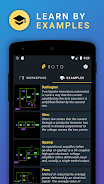
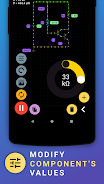
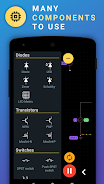
PROTO streamlines document creation and collaborative editing on Android, offering a clean interface and powerful productivity tools for mobile workflows. Designed to replace bulky desktop suites, PROTO combines fast file handling, real-time collaboration, and export options so teams can draft, review, and publish polished documents from any device.
PROTO focuses on speed and clarity. The app supports multi-format import and export, inline comments, and version history to keep project work transparent. Real-time presence indicators show who is viewing or editing a document, while granular permissions let owners control access at document or folder level.
The layout prioritizes readability with a distraction-free editor and contextual toolbars that appear when you need them. Typography and spacing are optimized for small screens, and a dark mode reduces eye strain during long editing sessions. PROTO’s adaptive interface scales to tablets and foldables, preserving a desktop-like editing canvas when more screen real estate is available.
Designed for teams, PROTO connects with popular cloud storage and calendar services to sync files and deadlines automatically. Users can attach tasks to specific document sections, assign owners, and track completion without leaving the editor. Automated export options let you generate PDFs, plain text, or compressed archives for offline sharing.
PROTO includes a library of templates for reports, meeting notes, proposals, and more. Templates are customizable so teams can enforce brand styles and standardize documents. Formatting presets and reusable snippets speed up repetitive tasks, while custom keyboard shortcuts increase efficiency for power users.
Performance is tuned for Android: the app loads large documents quickly, minimizes battery use, and gracefully handles intermittent network connections by caching edits locally. PROTO’s compatibility layer supports importing files from common desktop formats and exports clean, print-ready layouts that retain structure across devices.
Security features include end-to-end encryption for sensitive documents, single sign-on support, and role-based access management. Administrators can set retention policies and audit logs to meet compliance requirements. When sharing externally, time-limited links and password protection reduce the risk of unauthorized access.
Begin by creating a free workspace and importing an existing file or selecting a template. Invite collaborators by email and set document permissions for each person. Use the built-in tour to learn keyboard shortcuts and collaboration gestures that accelerate daily tasks. PROTO syncs changes automatically, but manual export options are available for archival or distribution needs.
For professionals who need a lightweight yet robust mobile editor, PROTO offers a blend of collaborative features and reliable performance. Whether you’re drafting proposals on the go or coordinating a multi-person review, the app delivers tools that keep content organized, secure, and ready to publish.