DiscDj 3D Music Player
Version: 11.0.2
14.91MB
4.5
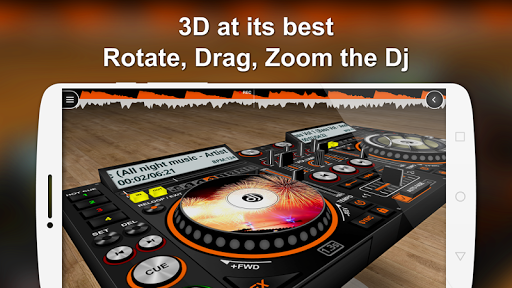
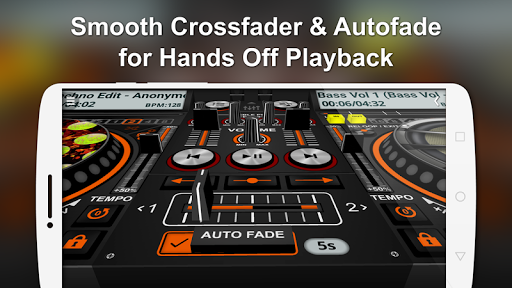
DiscDj 3D Music Player is a visually driven audio player that transforms your music library into an interactive 3D disc experience. It combines tactile album navigation, visualizers and precise playback controls so you can organize, play and customize playlists with a modern, performance-focused interface.
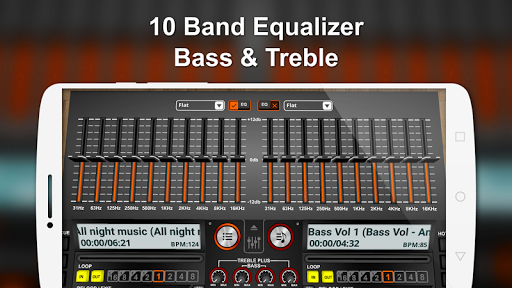
DiscDj 3D Music Player provides a suite of tools designed for listeners who want more than a simple playlist. The player supports gapless playback, crossfade settings and a high-resolution visual equalizer. Built-in metadata editing lets you correct tags and artwork without leaving the app, while quick search and smart playlists surface songs based on mood, play count or recently added tracks.
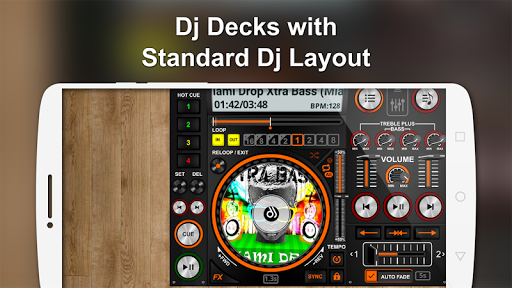
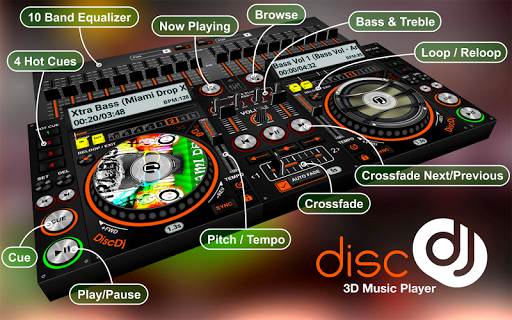
The app uses a 3D disc metaphor to present albums and tracks, making browsing more engaging. Swipe, tap and pinch gestures rotate discs, zoom into album art and queue tracks with intuitive motions. The layout separates playback controls, queue and library so common actions stay one tap away. DiscDj 3D Music Player balances visual flair with functional clarity, ensuring the interface remains responsive even on mid-range devices.
Personalization is central to the app. Choose among multiple themes, adjust the color palette of the UI and switch between compact and immersive player modes. The visualizer offers adjustable sensitivity and styles—bars, waveforms and particle effects—so you can match visuals to genre or mood. Users can also set gesture shortcuts for play/pause, skip and repeat to streamline daily listening.
Audio fidelity is prioritized. DiscDj 3D Music Player supports common codecs and high-resolution formats, with options for output routing and sample rate adjustment. The engine handles large libraries efficiently, keeping memory usage low while preloading next tracks to prevent gaps. Battery usage is optimized through a setting that reduces visual effects when power is low.
Managing music is straightforward: import folders from local storage, scan for new files and sync metadata with online databases. The app’s batch-edit feature allows mass tagging, artwork replacement and genre reassignment in a few taps. Smart scanning recognizes duplicates and offers tools to merge or archive redundant files, simplifying long-term library maintenance.
DiscDj 3D Music Player integrates with popular external devices and services. Stream to AirPlay and Chromecast-enabled speakers, connect Bluetooth headsets with AAC and aptX support, and use USB audio output for DAC devices. The app is optimized for Android tablets and phones, adapting the 3D interface across screen sizes while maintaining touch responsiveness.
The control scheme blends traditional buttons with gesture-based shortcuts. A floating mini-player keeps playback accessible while you browse, and the queue editor supports drag-and-drop reordering. Notifications include playback controls and album art for quick access. Playlists can be exported or shared, and repeat modes include per-track and per-queue options for uninterrupted listening sessions.
Begin by granting storage access so the app can scan your device. Customize the visual theme and import folders where your music is stored. Use the discovery tab to create smart playlists and explore the visualizer presets. Regular backups of your library settings are available in the app’s preferences to protect curated playlists and theme choices.
For users who value a combination of aesthetics and functionality, DiscDj 3D Music Player offers a modern way to enjoy music with powerful library tools, flexible playback options and a highly tweakable interface that adapts to individual listening habits.