Peak – Brain Games & Training
Version: 4.27.4
109.50MB
4.2


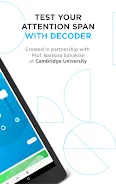

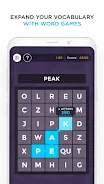



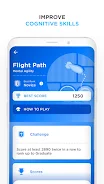

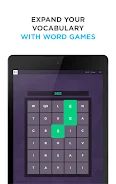
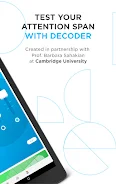
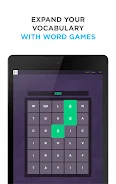



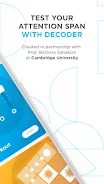

Peak – Brain Games & Training provides short, science-based cognitive exercises designed to sharpen memory, attention, problem solving and mental agility in sessions that fit into a busy day. The app centers on brief, focused games that adapt to your performance so every minute of practice is productive; gameplay is built for quick one- to three-minute rounds that can be paused and resumed without losing progress. Controls are simple and touch-first — tap, swipe and drag interactions keep mechanics intuitive on phones and tablets, while clear visual cues and immediate feedback help you understand mistakes and learn from them.
Peak – Brain Games & Training presents a rotating library of training games grouped by cognitive domain so you can target specific skills. Mechanics vary by title: memory exercises use sequence recall and pattern matching, attention tasks require sustained focus through distraction management, and problem-solving puzzles introduce constrained rules to encourage flexible thinking. Each game includes progressive level structure where difficulty ramps based on accuracy and speed, creating measurable progression without making exercises feel repetitive.
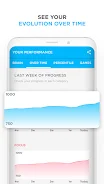
Progression combines an initial baseline assessment with adaptive difficulty that adjusts after each session. The app translates raw performance into skill trends and simple metrics so you can track improvements over time. Daily workouts are personalized to balance challenge and achievement; you can set goals like daily minutes or session counts and the app will prioritize games to meet those targets. Streak tracking and gentle reminders help maintain routine while curated exercise packs let you focus deeply on one domain for a set number of sessions.
Gameplay emphasizes clarity and quick comprehension. Most games use single-screen interactions where the objective and controls are visible at a glance. Controls include tapping targets, swiping between options, and dragging items into place, with responsive touch areas tuned for mobile use. Tutorials introduce mechanics in the first run and in-game hints appear when performance indicates confusion. This design lowers the learning curve and increases replay value, so repeating a game feels like practicing a skill rather than repeating an identical task.
The visual style favors clean, minimal interfaces and lightweight animations that communicate success and error without sensory overload. Levels are short, modular, and often randomized within a defined rule set to keep tasks fresh; this prevents training plateaus by changing specific variables while maintaining a consistent underlying challenge. Icons, color palettes and motion are designed for legibility and quick comprehension, which also supports accessibility for a wide range of users.
Customization options allow you to choose focus areas, set session length, and pick from curated packs or random-play if you prefer variety. Replay value comes from adaptive difficulty, shuffled problem variants, and a system that surfaces new task types as you progress. Targeted challenge sets help you concentrate practice on weak spots, while optional random sessions introduce novelty to maintain engagement over months of training.
The interface funnels users quickly to a recommended routine but also allows manual selection of individual games. Accessibility features include adjustable font sizes, high-contrast color options, and simplified control modes to accommodate different needs. Audio cues are kept minimal and can be turned off; visual indicators and concise text prompts are used throughout so the app remains usable in quiet or public environments. Local data storage ensures immediate feedback even when offline, and progress syncs to the cloud when a connection is available so switching devices is straightforward.
Challenge systems include daily goals, time-limited tasks and escalating difficulty tiers that unlock as you demonstrate consistency. Short sessions make it practical to train offline during commutes or brief breaks; the app caches recent content and stores results locally, then synchronizes across devices when online. This offline-friendly approach keeps practice uninterrupted while preserving accurate progress records for long-term tracking.
Installing Peak – Brain Games & Training and completing the initial assessment takes only a few minutes and provides a baseline to tailor future workouts. Start with a variety of game types during the first week so the adaptive system can calibrate to your strengths and areas for improvement. For consistent improvement, aim for short daily sessions rather than infrequent long ones, and use targeted packs to concentrate on specific cognitive skills when you notice plateaus.
Privacy controls let you review what data is stored and manage syncing preferences; anonymized metrics are used for trend reports and personalized recommendations. Notification and reminder settings are adjustable so you can strike a balance between helpful nudges and minimal interruptions. The app’s lightweight design and local-first data strategy make it a practical addition to a wellness routine focused on mental maintenance and gradual, measurable improvement.