
Full Screen Caller ID
Version: 16.1.3
16.10MB
4
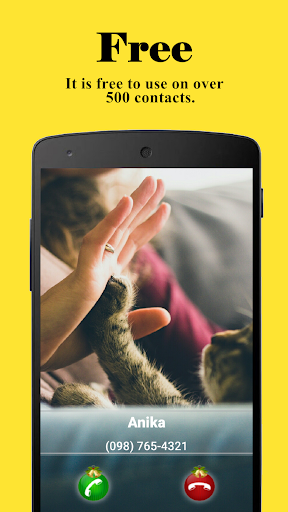
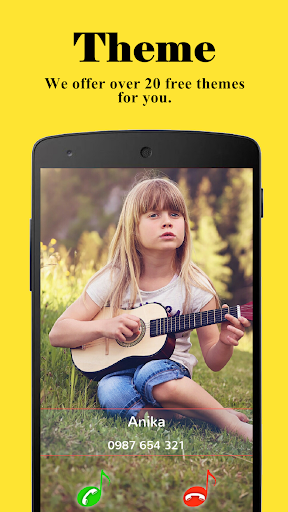
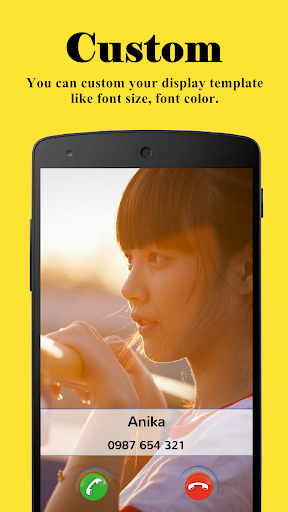
Full Screen Caller ID replaces the default phone call interface with a large, customizable incoming, outgoing and missed call screen designed to make caller information more visible and expressive. This app moves beyond the default popup by letting you set photos or short videos as full-screen backgrounds, adjust text size and color for readability, and enable spoken caller names so you know who is calling without looking at the display. The introduction is straightforward and aimed at people who want a clearer, more personal call experience while retaining the standard phone functionality they expect.
The primary functions of Full Screen Caller ID are full-screen alerts for incoming, outgoing and missed calls and a range of customization tools that control appearance and behavior. When a call comes in, the caller photo or selected video fills the entire screen so you can identify contacts at a glance. You can choose images from the camera or gallery, use short looped clips where supported, and apply simple visual adjustments such as brightness and crop to ensure the contact art looks right on different display sizes. Caller details including name and number are presented with configurable text size and color so important information stands out even on small or busy screens.
Settings are organized in a straightforward menu that separates visual design from functional behavior. Visual options include background selection, font size and color, button layout, and a set of preset styles to get started quickly. Functional options cover whether the replacement screen appears for outgoing calls, whether missed calls show a persistent full-screen reminder, and whether large accept or reject buttons are displayed to simplify one-handed use. Standard call controls remain intact: you can answer, decline, or mute calls using familiar tap gestures, and the app respects the phone's native call handling so you do not lose any carrier or device features.
Accessibility is considered through configurable text-to-speech, larger fonts, and high-contrast themes that improve readability for users with visual impairments. The spoken caller name feature announces who is calling as soon as the phone rings, which helps when the device is out of sight or in a pocket. Many color and font settings were designed to work with screen readers and system magnification tools so the app is usable by a wider range of people. These options make Full Screen Caller ID particularly helpful for drivers or anyone who needs clearer, hands-free call notifications.
The replacement caller interface is built to run locally on the device without requiring an account or cloud service. Images and videos you select are stored on your device and used only to display the call screen; the app requests only the permissions needed to access contacts, media and overlay capabilities so it can present the full-screen interface. The overlay is optimized to minimize battery impact and to avoid interfering with other apps; it behaves like the standard incoming call UI, pausing media playback only when necessary and returning to the previous state once the call ends.
Getting started is simple: grant the requested permissions, choose a default background style, and test incoming and outgoing call scenarios to confirm the look and behavior you prefer. For faster setup, use a preset theme and then tweak font size and button placement to suit your device. If you prefer minimal changes, configure the app to show full-screen alerts only for missed calls or outgoing calls. The settings include short help notes to explain each option so you can fine-tune the screen without guessing which control affects which part of the interface.
Full Screen Caller ID has reached a wide user base, with millions of installs and a significant number of paid users who support ongoing fixes and feature polish. Regular updates improve compatibility with new Android releases and refine accessibility and performance. If you run into issues, an in-app support link and online help resources guide common troubleshooting steps such as granting overlay permission or adjusting battery optimization settings. The developer collects anonymous crash reports when permitted to help prioritize stability improvements and make the caller experience smoother over time.